If you don’t have MySQL/MariaDB server installed or you are using an older version of the MySQL server, then we recommend you to install or update the MySQL version using the following articles:
How to Install MySQL on RHEL-based Distributions
How to Install MariaDB in RHEL and Debian Systems
In this article, we’ve compiled some very useful ‘mysqladmin‘ commands that are used by system/database administrators in their day-to-day work. You must have MySQL/MariaDB server installed on your system to perform these tasks.
1. How to Set MySQL Root Password
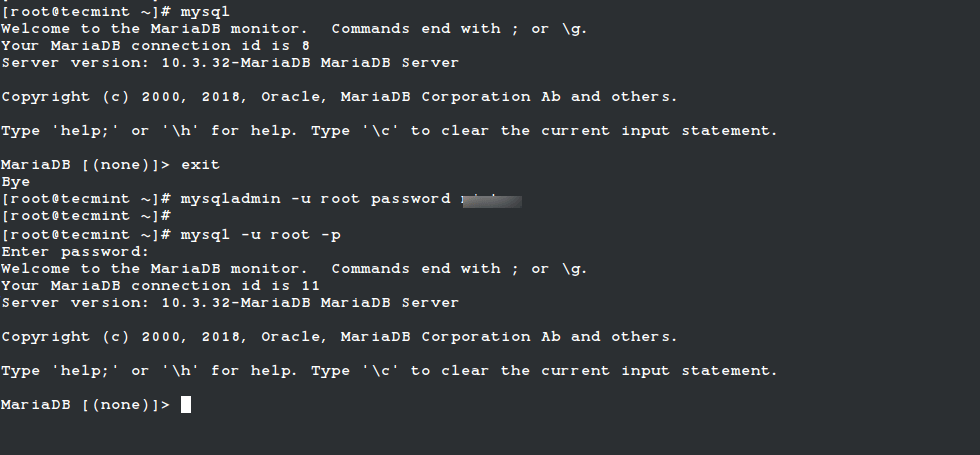
If you have a fresh installation of MySQL/MariaDB server, then it doesn’t require any password to connect it as the root user. To set the MySQL password for the root user, use the following command.
# mysqladmin -u root password YOURNEWPASSWORD
Set New MySQL Password
Warning: Setting a new MYSQL password using mysqladmin should be considered vulnerable. On some systems, your password becomes visible to system status programs such as the ps command that may be executed by other users to know the status of active processes on a system.
2. How to Change MySQL Root Password
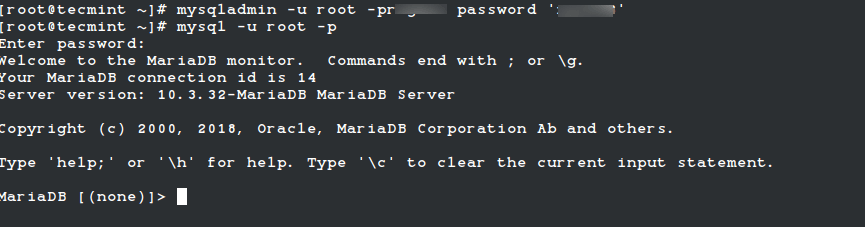
If you would like to change or update the MySQL root password, then you need to type the following command. For example, say your old password is 123456 and you want to change it with a new password say xyz123.
# mysqladmin -u root -p123456 password 'xyz123'
Change MySQL Password
3. How to Check Status of MySQL Server
To find out whether the MySQL server is up and running, use the following command.
# mysqladmin -u root -p ping

Enter password:
mysqld is alive
Check MySQL Running Status
4. How to Check Which MySQL Version I am Running
The following command shows the MySQL version along with the current running status.
# mysqladmin -u root -p version

Enter password:
mysqladmin  Ver 9.1 Distrib 10.3.32-MariaDB, for Linux on x86_64
Copyright (c) 2000, 2018, Oracle, MariaDB Corporation Ab, and others.

Server version		10.3.32-MariaDB
Protocol version	10
Connection		Localhost via UNIX socket
UNIX socket		/var/lib/mysql/mysql.sock
Uptime:			18 min 6 sec

Threads: 6  Questions: 20  Slow queries: 0  Opens: 18  Flush tables: 1
Open tables: 11  Queries per second avg: 0.018
5. How to Find Out Current Status of MySQL Server
To find out the current status of the MySQL server, use the following command. The mysqladmin command shows the status of uptime with running threads and queries.
# mysqladmin -u root -p status

Enter password:
Uptime: 1185  Threads: 6  Questions: 21  Slow queries: 0  Opens: 18  Flush tables: 1
Open tables: 11  Queries per second avg: 0.017
6. How to Check MySQL Status Variables and Their Values
To check all the running status of MySQL server variables and values, type the following command. The output would be similar to the one below.
The following command will display all the running processes of MySQL database queries.
# mysqladmin -u root -p processlist

Enter password:
+----+-------------+-----------+----+---------+------+--------------------------+------------------+----------+
| Id | User        | Host      | db | Command | Time | State                    | Info             | Progress |
+----+-------------+-----------+----+---------+------+--------------------------+------------------+----------+
| 2  | system user |           |    | Daemon  |      | InnoDB purge coordinator |                  | 0.000    |
| 1  | system user |           |    | Daemon  |      | InnoDB purge worker      |                  | 0.000    |
| 4  | system user |           |    | Daemon  |      | InnoDB purge worker      |                  | 0.000    |
| 3  | system user |           |    | Daemon  |      | InnoDB purge worker      |                  | 0.000    |
| 5  | system user |           |    | Daemon  |      | InnoDB shutdown handler  |                  | 0.000    |
| 20 | root        | localhost |    | Query   | 0    | Init                     | show processlist | 0.000    |
+----+-------------+-----------+----+---------+------+--------------------------+------------------+----------+
9. How to Create a Database in MySQL Server
To create a new database in the MySQL server, use the command shown below.
# mysqladmin -u root -p create tecmint
Enter password:

# mysql -u root -p

Enter password:
Welcome to the MariaDB monitor.  Commands end with ; or \g.
Your MariaDB connection id is 22
Server version: 10.3.32-MariaDB MariaDB Server

Copyright (c) 2000, 2018, Oracle, MariaDB Corporation Ab, and others.

Type 'help;' or '\h' for help. Type '\c' to clear the current input statement.

MariaDB [(none)]> show databases;
+--------------------+
| Database           |
+--------------------+
| information_schema |
| mysql              |
| performance_schema |
| tecmint |
+--------------------+
4 rows in set (0.001 sec)
10. How to Drop a Database in MySQL Server
To drop a Database in the MySQL server, use the following command. You will be asked to confirm press ‘y‘.
# mysqladmin -u root -p drop tecmint

Enter password:
Dropping the database is potentially a very bad thing to do.
Any data stored in the database will be destroyed.

Do you really want to drop the 'tecmint' database [y/N] y
Database "tecmint" dropped
11. How to Reload/Refresh MySQL Privileges?
The reload command tells the server to reload the grant tables and the refresh command flushes all tables and reopens the log files.
19. How to Store MySQL Server Debug Information to Logs
It tells the server to write debug information about locks in use, used memory, and query usage to the MySQL log file including information about the event scheduler.
# mysqladmin  -u root -p debug

Enter password:
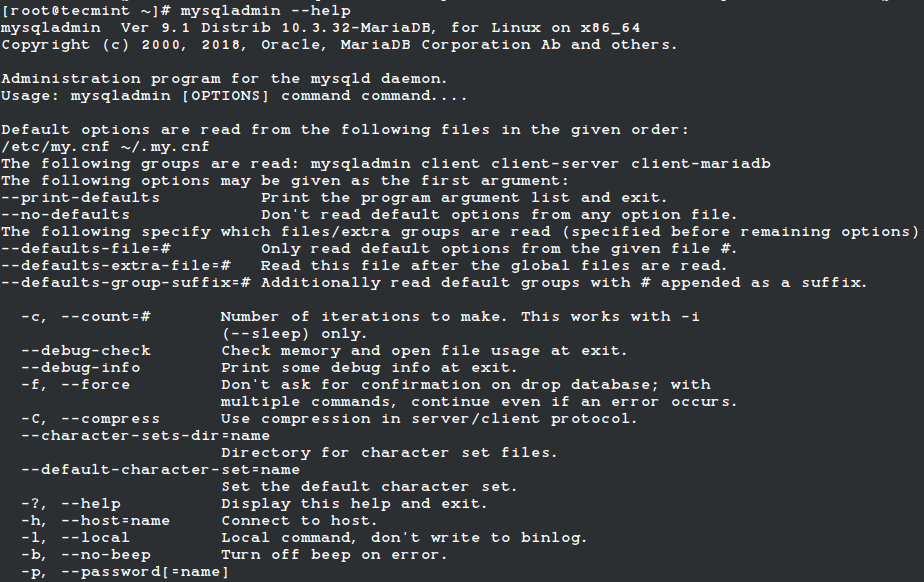
20. How to View mysqladmin Options and Usage
To find out more options and usage of the myslqadmin command use the help command as shown below. It will display a list of available options.



No comments:
Post a Comment