Linux has a rich collection of commands, and while many of them are powerful and useful for various tasks, there are also some funny and whimsical commands that you can try out for amusement.
1. sl Command (Steam Locomotive)
You might be aware of the command ls command, which is used frequently to view the contents of a directory but because of miss-typing sometimes you would result in ‘sl‘.
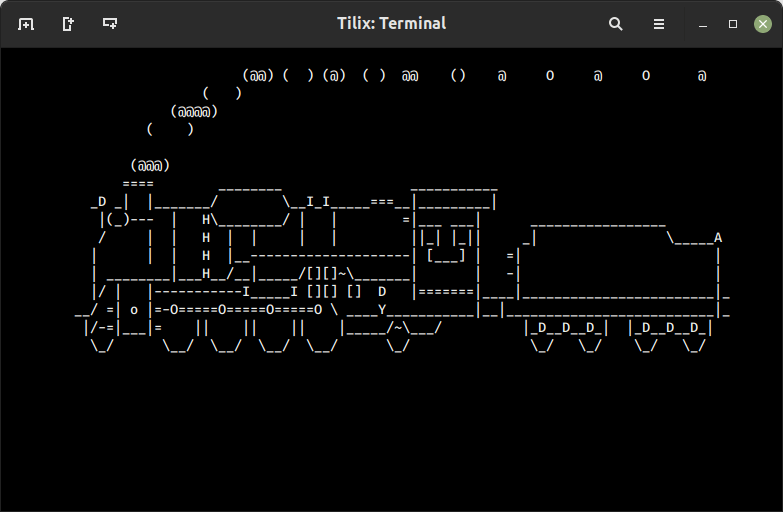
The sl command is to playfully simulate a train moving across your terminal when you accidentally type “sl” instead of “ls” (a common mistype).
Install sl Command
After installation, you can try running the sl command by simply typing.
2. telehack Command
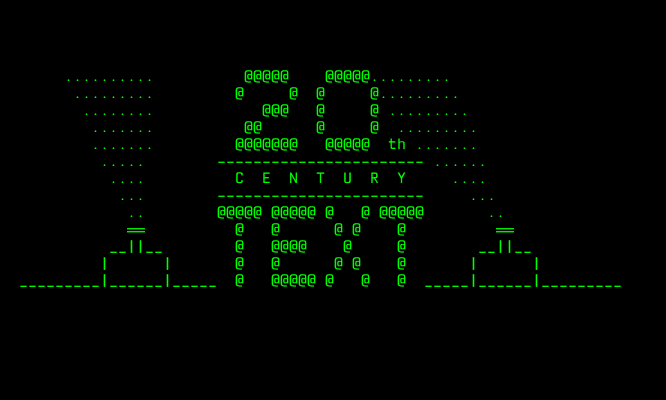
The telehack is a website that provides a text-based interface resembling a command-line environment, where you can interact with various commands, explore simulated systems, play text-based games, read articles, and even participate in a simulated storyline.

Go to the telehack website, and type the following command.
3. fortune Command
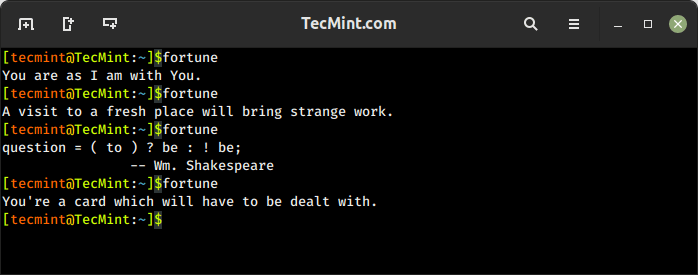
The fortune command is a fun command that is used to display a random quote, a witty saying, or a fortune message.
Install fortune Command
After installation, you can try running the fortune command by simply typing.
4. rev Command
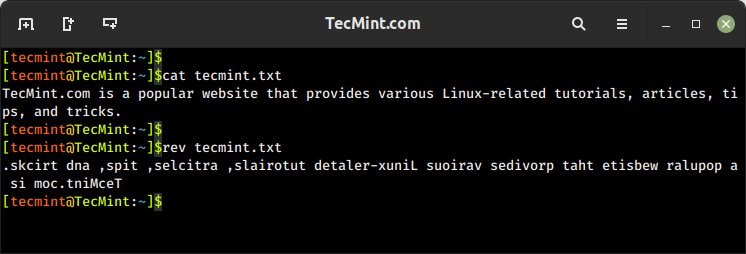
The rev command is used to reverse the order of characters in each line of a given input. It reads the input from either standard input or from files and outputs the reversed lines.
To reverse the characters in a file, use the following command.
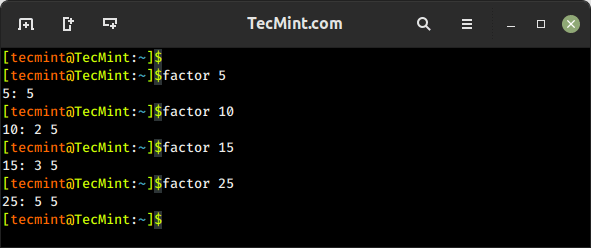
5. factor Command
The factor command is used to factorize a given integer into its prime factors. It calculates the prime factors of the specified number and displays them on the standard output.
6. Nested Loop in Bash
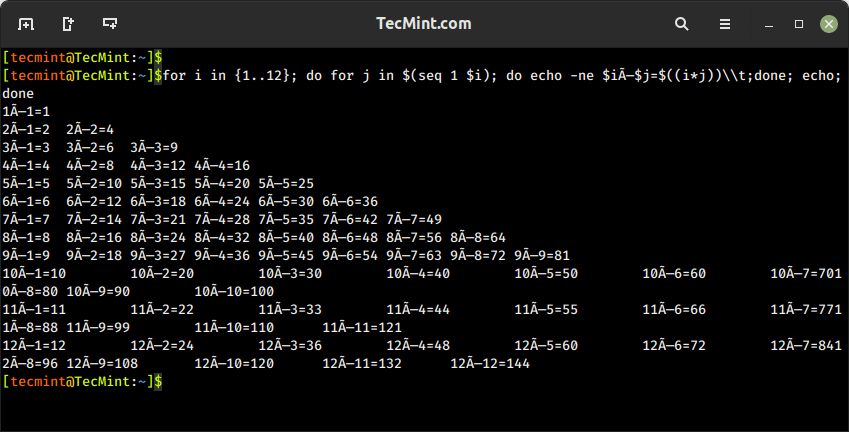
This is not a command, but a nested loop in Bash that prints a multiplication table from 1 to 12. It uses two variables, i and j, to iterate through the numbers and calculates their product.
Here is an explanation of the command:
When you run this command in the terminal, it will generate the following output.
7. cowsay Command
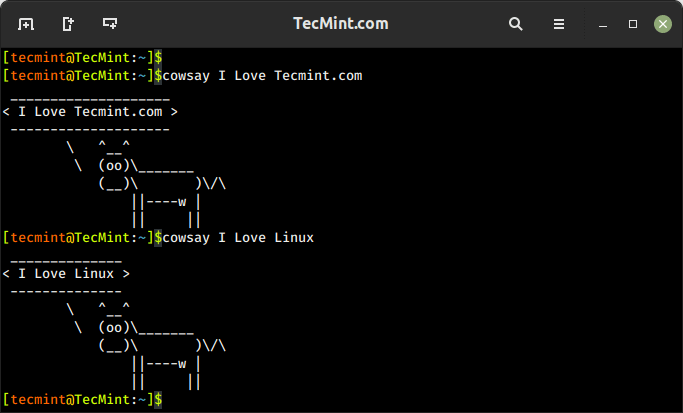
The cowsay command is used to generate an ASCII art representation of a cow or other animals with speech or thought bubbles containing a customizable message.
Install cowsay Command
After installation, you can try running the cowsay command by simply typing.
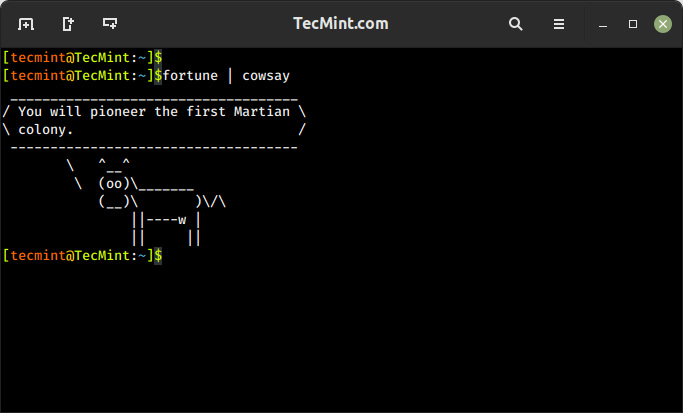
To combine the fortune with the cowsay command to display a random fortune message using a pipe (|) to pass the output of one command to be the input of another command.
In the below example, the output of the ‘fortune‘ command acts as an input of the ‘cowsay‘ command.
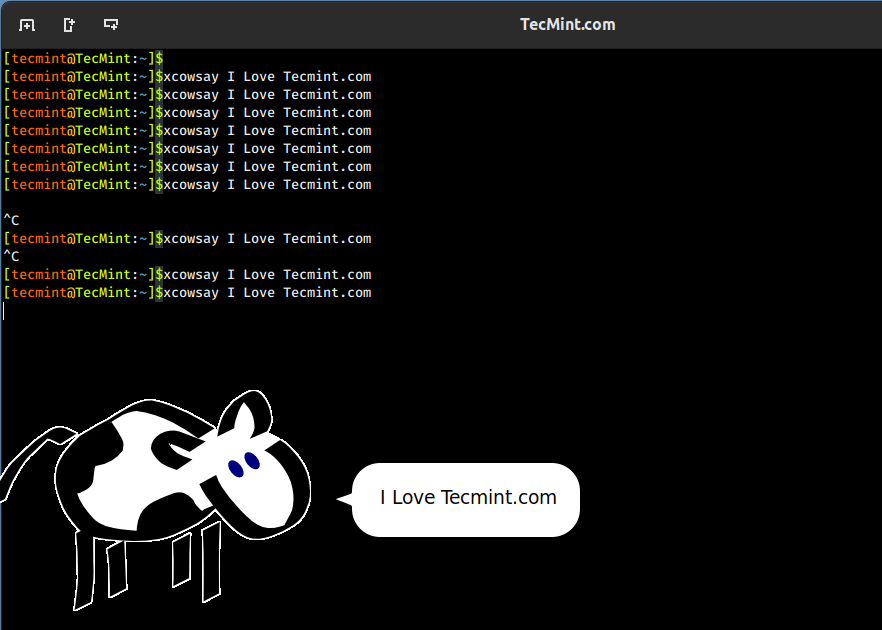
xcowsay is a graphical program that response similar to cowsay but in a graphical manner, that generates an animated speech bubble with a customizable message, usually featuring a cow or other characters, on the desktop.
Install xcowsay Command
Once xcowsay is installed, you can launch it by running:
8. yes Command
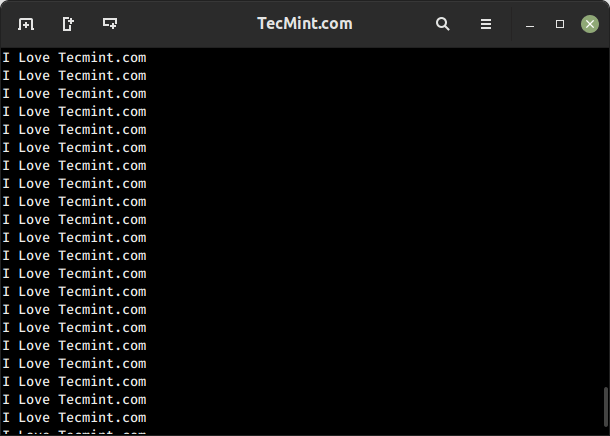
The yes command prints a continuous stream of the specified string or text repeatedly until terminated, which is often used in scripts or command-line operations that require automated or repeated input of a specific value.
9. toilet Command
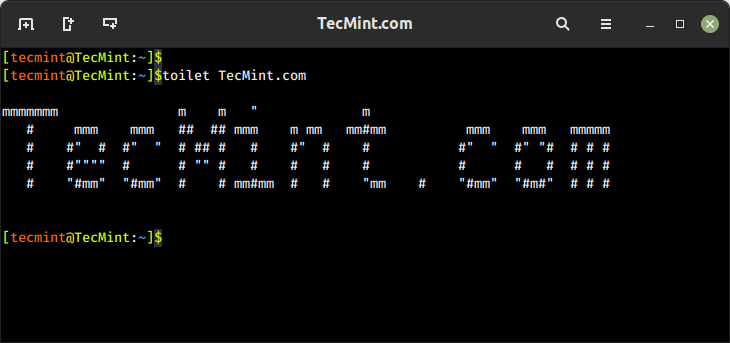
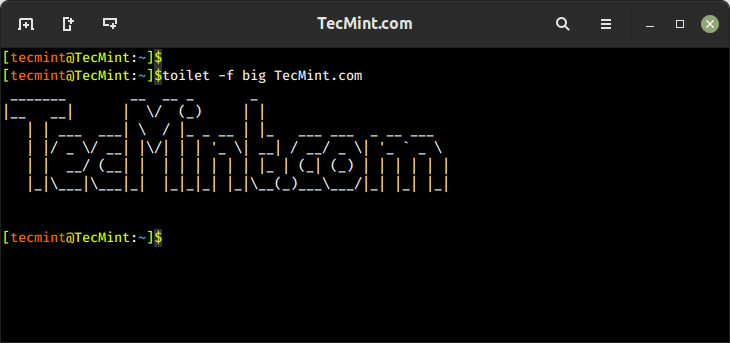
The toilet command generates visually appealing ASCII art text-based banners or large letters using various fonts in the terminal.
Install toilet Command
Once the toilet is installed, you run the command with the text you want to convert into an ASCII banner.
If you want to print the banner in a large font, you can run:
10. cmatrix Command
You might have seen the Hollywood movie ‘Matrix‘ and would be fascinated with the power, Neo was provided with, to see anything and everything in the Matrix or you might think of an animation that looks like Matrix’s desktop.
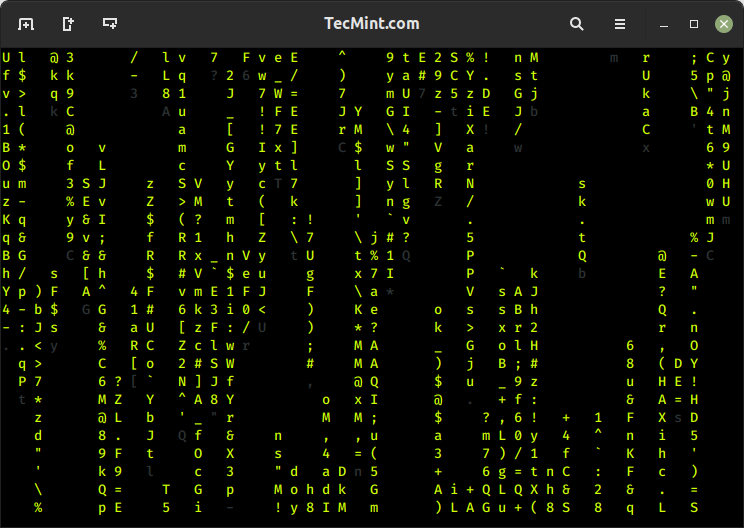
Then you should use a cmatrix command that displays an animated matrix-like rain of text characters on your terminal, similar to the “Matrix” movie.
Install cmatrix Command
Once cmatrix is installed, you can run the command that displays a full of cascading green characters resembling the falling code from the “Matrix” movie.
11. oneko Command
OK, so you believe that the mouse pointer of Linux is the same silly black/white pointer where no animation lies then I fear you could be wrong.
The “oneko” is a package that will attach a “Jerry” with your mouse pointer and moves along with your pointer.
Install oneko Command
Once oneko is installed, you run the command to see a small animated cat on your screen.
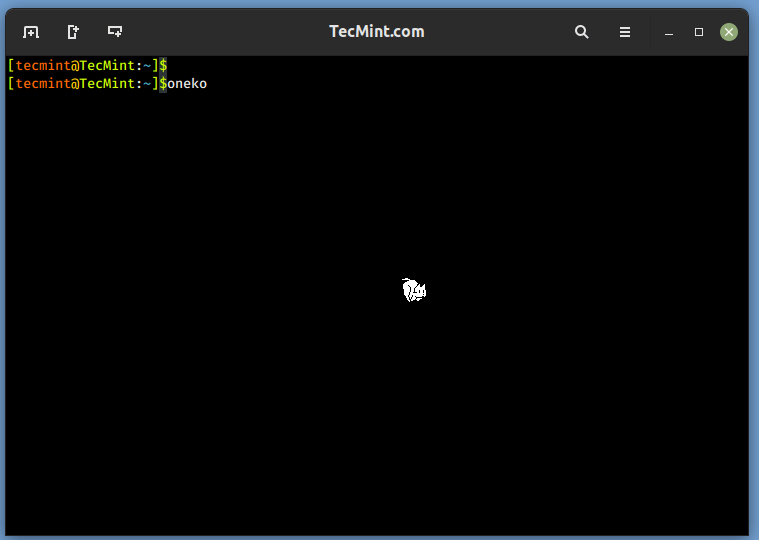
Once you close the terminal from which oneko was run, Jerry will disappear, nor will start at start-up. You can add the application to start up and continue enjoying.
12. Fork Bomb
A fork bomb is a type of malicious code or command that can cause a denial-of-service (DoS) condition by rapidly and exponentially creating child processes, which exploits the “fork” system call in the operating system.
It can also cause severe disruption, loss of data, or damage to the system, which might make you unresponsive, and you might need to reboot the machine to regain control.
To check the power of the fork command you should try it once, but all at your own risk, close and save all other programs and files before running a fork bomb.
Let’s break down how this fork bomb works:
:(){ ... }– This defines a function named":"(colon) without any arguments.:|:– This calls the function recursively by piping its output to another instance of the function.&– This puts the command in the background, allowing it to run concurrently.;:– This executes the function again after the initial invocation, causing it to continue indefinitely.
13. while Command
The following while command is a bash script that provides you with a colored date and time in a stylized ASCII art format using the toilet. It uses a while loop to repeatedly execute the commands and includes a 1-second delay between each iteration.
Here’s an explanation of the command:
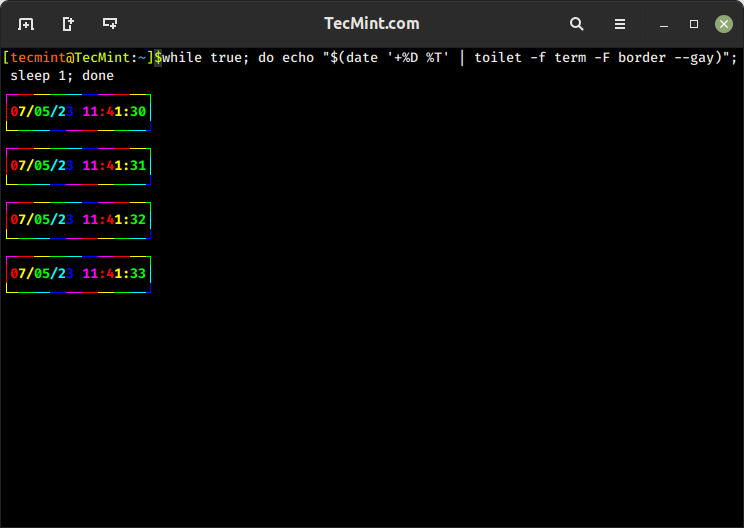
The above script when modified with the following command, will give similar output but with a little difference, check it in your terminal.
14. espeak Command
The espeak is a text-to-speech (TTS) synthesis command that converts text input into spoken words in various languages and voices.
Install espeak Command
Once espeak is installed, you run the command with the text you want to be spoken.
15. aafire Command
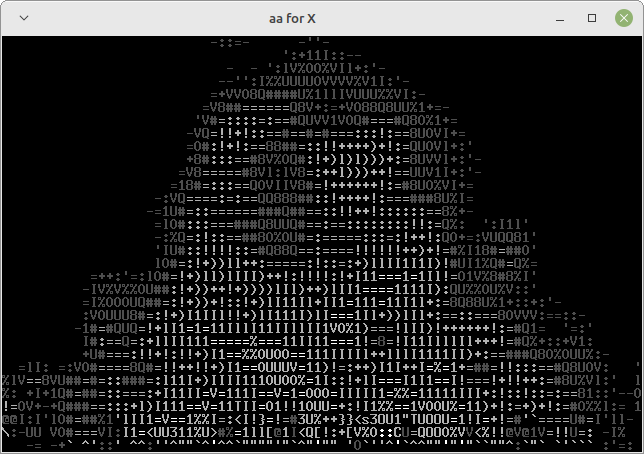
The aafire is a fun command that displays visually appealing ASCII art animation of a fire effect in the terminal using ASCII characters.
Install aafire Command
Once aafire is installed, you run the command to see a fire animation in your terminal.
16. bb Command
The bb is a simple command-line ASCII art demo that displays an animated ASCII art representation of a bouncing ball on the terminal screen.
Install bb Command
Once bb is installed, you run the command to see a visual effect of a ball bouncing around the terminal screen.
17. curl Command
Won’t it be an awesome feeling for you if you can update your Twitter status from the command line in front of your friend and they seem impressed?.
To post a status to Twitter using the curl command, you need to use the Twitter API’s POST endpoint for creating a tweet as shown.
18. ASCIIquarium
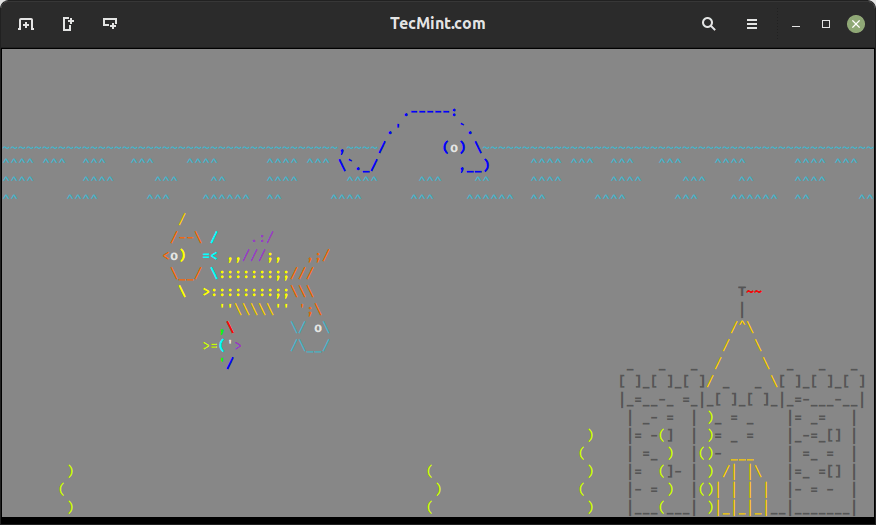
ASCIIquarium is an entertaining perl script that displays an animated aquarium in ASCII art format directly in your Linux terminal. It creates a simulation of underwater life with fish, plants, and other elements.
On Ubuntu or Debian-based systems, you can install ASCIIquarium with the following commands.
First, you need to install the Term::Animation module as shown.
Next, install ASCIIquarium with the following commands.
Finally, run “asciiquarium” or “/usr/local/bin/asciiquarium” in the terminal without quotes and be a part of the magic that will be taking place in front of your eyes.
19. Funny Linux Man Pages
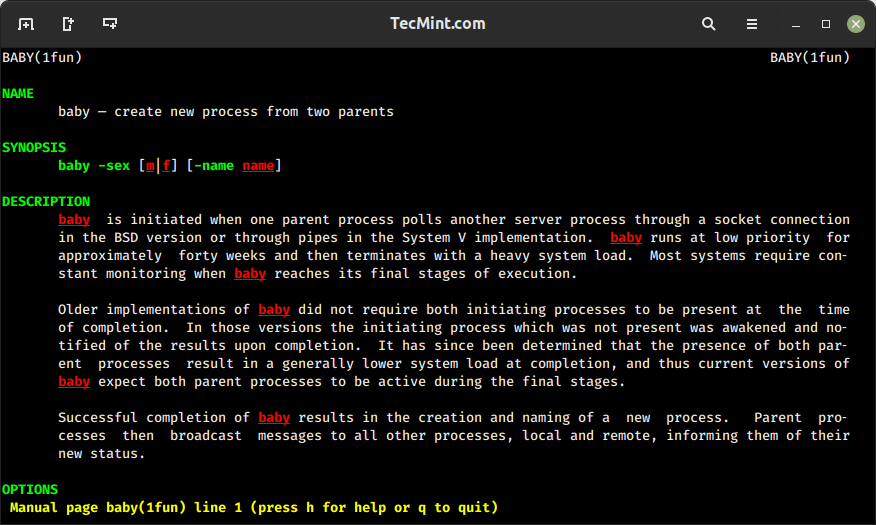
Funny man pages, also known as “man pages with attitude,” are entertaining versions of the traditional Linux man pages, as they don’t offer abt serious or practical information, they are meant to bring a smile to your face.
Install Funny Man Pages
Once funny-manpages is installed, you can have access to the funny-man pages of the command you want to view.
20. pv Command
You might have seen the simulating text in movies, which appears as if it is being typed in real-time. Won’t it be nice, if you can have such an effect in your terminal?
This can be achieved, by installing the pv command (pipe viewer), which is used to monitor the progress of data through a pipeline.
Install pv Command
Once, the pv command is installed successfully on your system, let’s try to run the following one-liner command to see the real-time text effect on the screen.

The q option means ‘quiet‘, no output information, and option L means the limit of transfer of bytes per second. The number value can be adjusted in either direction (must be an integer) to get the desired simulation of text.
21. rig Command
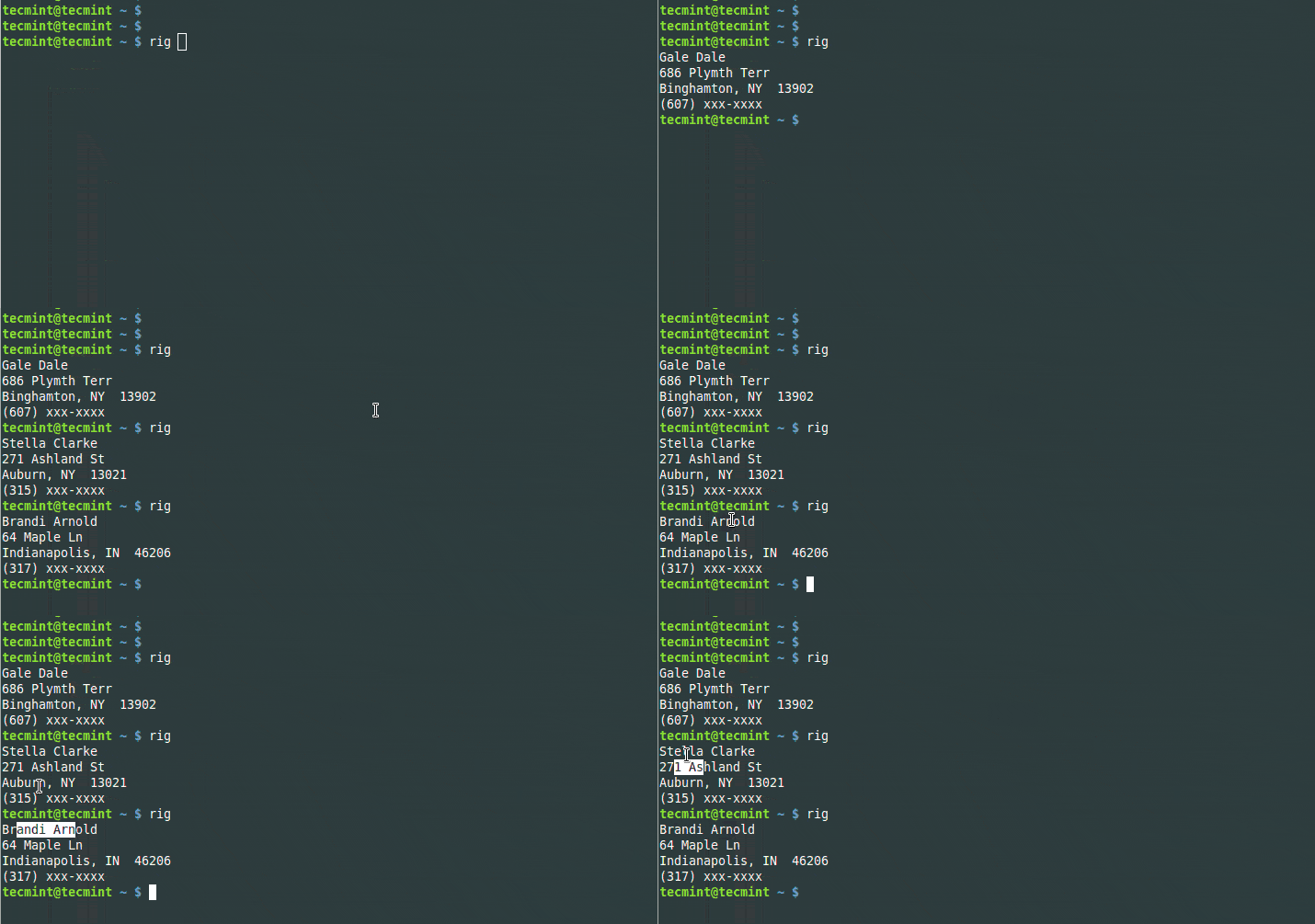
The rig short for “Random Identity Generator” is a command that is used to generate random fake identities for testing, simulation, or other purposes.
Install rig Command
Once installed, you can use the rig command to generate random identities.
22. aview Command
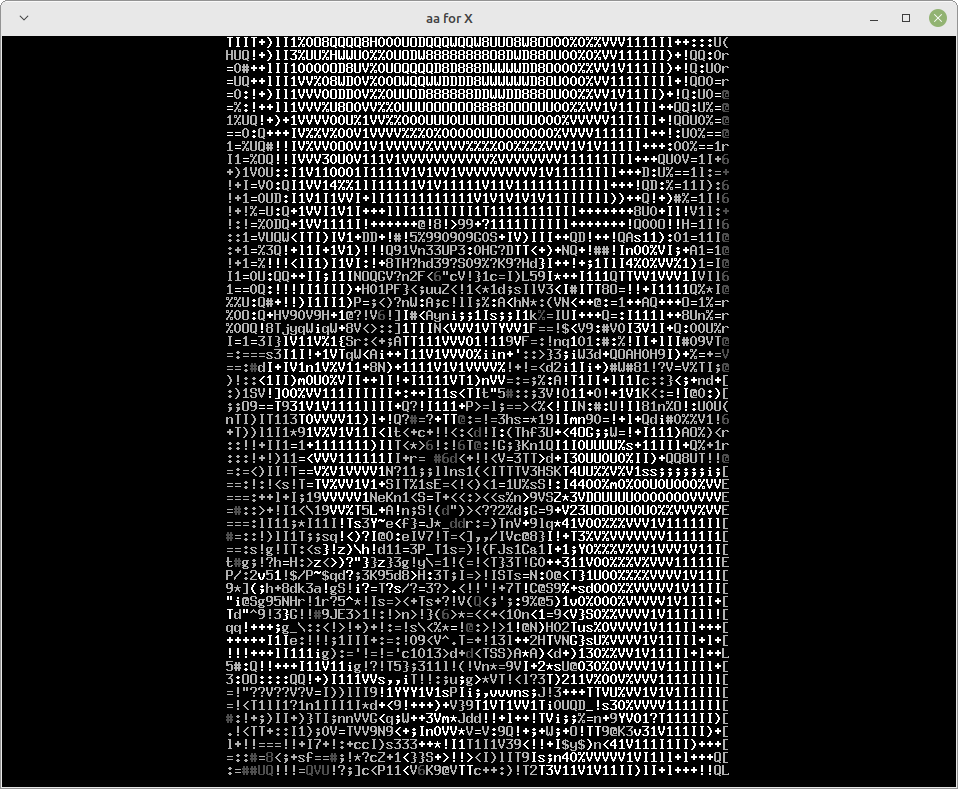
The aview command converts images into ASCII art and displays them in the terminal. To use the aview command, you need to have it installed on your system.
I’ve got an image named ‘actress.jpg‘ (guess the actress) in my current working directory and I want to view it on the terminal in ASCII format.
23. xeyes Command
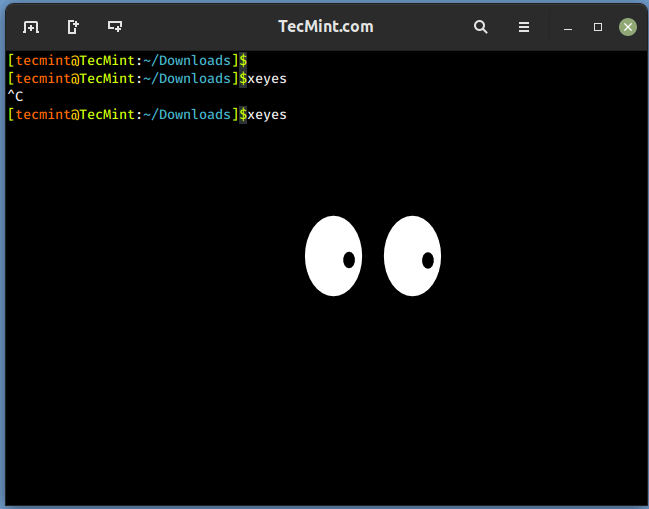
Earlier, we introduced a command ‘oneko‘ which attaches Jerry with a mouse pointer and keeps on chasing it. A similar program ‘xeyes‘ is a graphical program and as soon as you fire the command you will see two monster eyes chasing your movement.
Once installed, run:
24. Linux Tweaks
It is time for you to have some one-liner Linux tweaks to have some fun in the terminal.
Linux is naughty – if you know what I mean…:)
There are certain others but these don’t work on all the systems and hence not included in this article. Some of them are man dog, filter, banner, etc.
Have fun, you can say me thanks later :) yup, your comment is highly appreciated which encourages us to write more. Tell us which command you liked the most. Stay tuned I will be back soon with another article worth reading.


No comments:
Post a Comment