Virtual Hosting allows Apache Weberver to serve different content based on IP Address, hostname or used port number. This guide will use a Debian like approach on enabling and managing Virtual Hosts on Red Hat Enterprise Linux/CentOS 7.0 by creating two directories on /etc/httpd/ path, which will keep all enabled and disabled website file configurations – sites-available and sites-enabled, and two types of scripts to act as commands, one that enables and other that disables specified virtual hosts – a2ensite and a2dissite. This approach has some advantages because you done have to mess with httpd configuration file and every virtual host has its own configuration file that can be found on a single location – enabled hosts are just symlinks – which make the process of enabling, disabling, creating or deleting them very manageable.

Requirements
- LAMP Basic Installation on RHEL/CentOS 7.0
Create and Manage Apache Virtual Hosts in RHEL/CentOS 7
1. To begin, start by entering on /etc/httpd/ path, create sites-available and sites-enabled directories and edit Apache httpd.conf file to apply the new enabled websites location.
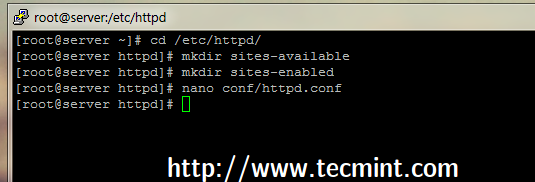
2. On httpd.conf file add the following directive line at the bottom of the file, which will make Apache read and parse all files located on /etc/httpd/sites-enabled/ ended in .conf extension.

3. On next step create a new Virtual Host on sites-available location using a descriptive name – in this case I’ve used rheltest.lan.conf – and use the following file as a template.
Use this configuration as a guide.
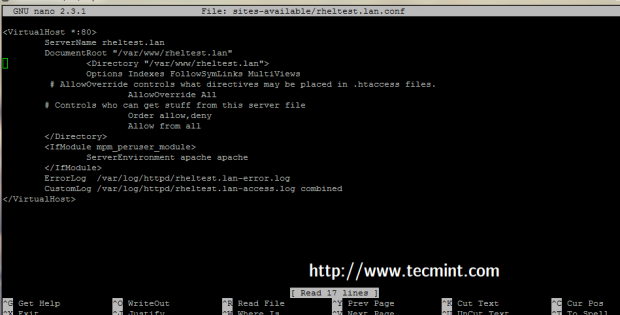

4. If you changed DocumentRoot location on your virtual host from default /var/www/html to other path make sure you also create this path.
NOTE: Also assure that ServerName host is a valid DNS record or is added to your local machines hosts file, from where you are planning to visit the website.
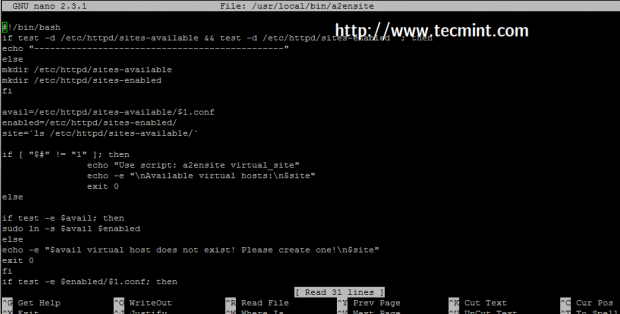
5. Now it’s time to create a2ensite and a2dissite bash scripts on a executable system path – in this case is /usr/local/bin/ – but
you can use any executable path that $PATH system variable outputs.
Create a2ensite Script
Create a following file with your choice of editor.
Add the following script to it.
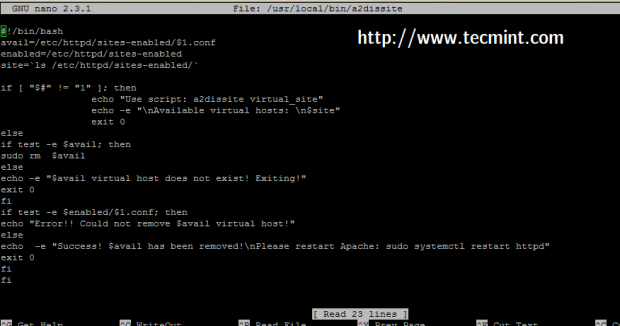
Create a2dissite Script
Create a following file with your choice of editor.
Add the whole following script to the file.
6. After both script files had been created, make sure they are executable and start using them to enable or disable virtual hosts by appending vhost name as command parameter.
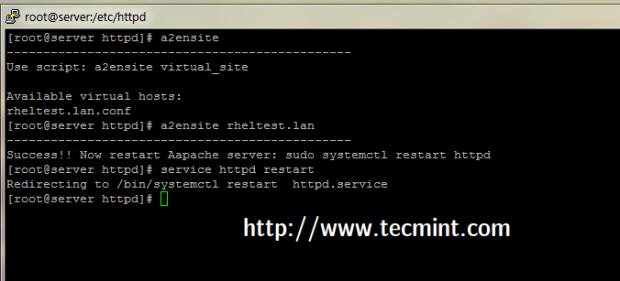
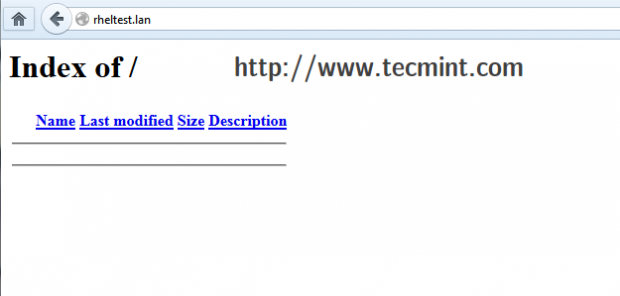
7. To test it, enable the virtual host created earlier, restart Apache service and direct browser to the new virtual host – in this case http://rheltest.lan.
That’s it! Now you can use a2eniste and a2dissite bash scripts as system commands to manage Apache Vhosts file on RHEL/CentOS 7.0.


No comments:
Post a Comment