In this post, I will be discussing the scripts from a mathematical and numerical point of view. Although I posted a more complex script (Simple Calculator) in the previous post, it was difficult for users to understand. Hence, I thought I would teach you another useful aspect of learning in smaller parts.
Before this article, three articles in the Shell Scripting Series have been published and they are:
Let’s continue the learning process with exciting new shell scripts, starting with mathematical ones.
1. Basic Addition Shell Script
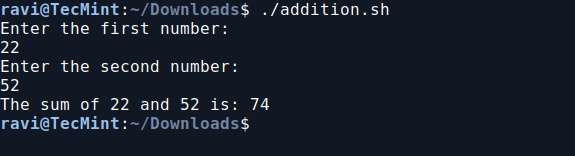
In this script ‘addition.sh‘, you will create a shell script to perform basic addition operations.

Add the following code to addition.sh file.
Next, make the script executable and run it.
2. Basic Subtraction Shell Script
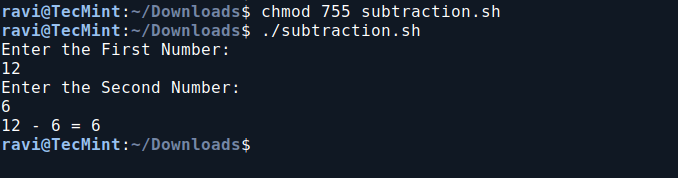
In this script ‘subtraction.sh‘, you will create a shell script to perform a basic subtraction operation.
Add the following code to subtraction.sh file:
Next, make the script executable and run it.
3. Basic Multiplication Shell Script
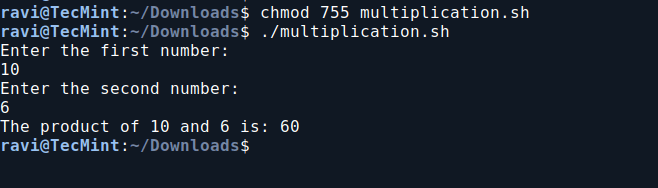
So far you would be enjoying a lot, learning scripts in such an easy way, so the next in chronological order is Multiplication.
Add the following code to multiplication.sh file.
Next, make the script executable and run it.
4. Basic Division Shell Script
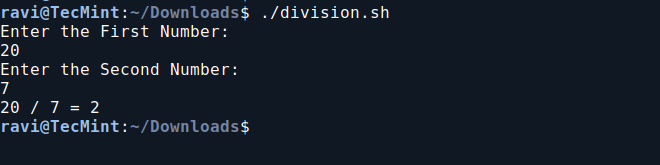
In this division script, it prompts the user to enter two numbers, then divides the first number by the second and displays the result.
Add the following code to the division.sh file.
Next, make the script executable and run it.
5. Print Multiplication Table in Bash
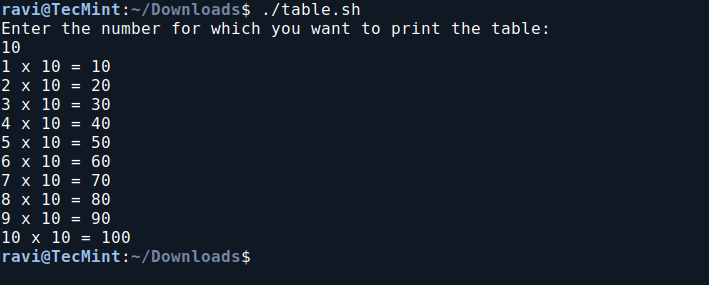
In this script, we will print the multiplication table of a user-specified number. It prompts the user to enter a number and then displays the multiplication results from 1 to 10 for that number.
Add the following code to the table.sh file.
Next, make the script executable and run it.
6. Check If a Number is Even or Odd in Bash
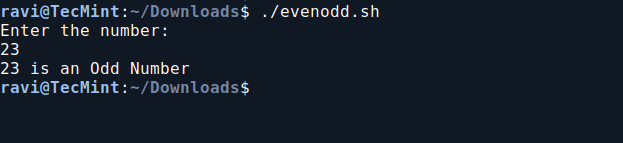
In this Bash script, we will determine whether a user-provided number is even or odd. It prompts the user to enter a number, checks its divisibility by 2 using the modulo operator, and then prints whether the number is even or odd based on the result.
Add the following code to evenodd.sh file.
Next, make the script executable and run it.
7. Calculate Factorial Using Bash Script
This script calculates the factorial of a user-input number using a `while` loop, and then prints the result.
Add the following code to the factorial.sh file.
Next, make the script executable and run it.
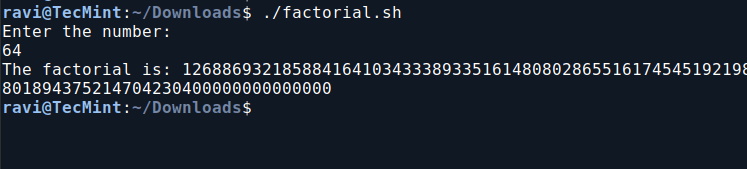
You can now relax knowing that calculating `12*11*10*9*8*7*6*5*4*3*2*1` is much simpler with the script above than doing it manually. Imagine needing to find `99!` – this script will be incredibly useful in such situations.
8. Check if a Number is an Armstrong Number in Bash
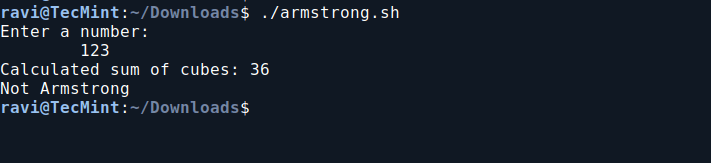
This Bash script determines whether a given three-digit number is an Armstrong number. An Armstrong number (or Narcissistic number) is a number where the sum of the cubes of its digits equals the number itself.
For example, 371 is an Armstrong number because 3×3×3+7×7×7+1×1×1 =371.
Add the following code to armstrong.sh file.
Next, make the script executable and run it.
9. Check if a Number is Prime in Bash
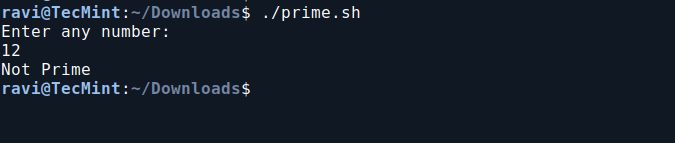
This Bash script checks if a number is prime by counting its divisors. It prints “Prime” if the number has exactly two divisors, and “Not Prime” otherwise.
Add the following code to prime.sh file.
Next, make the script executable and run it.


No comments:
Post a Comment