Introduction
In today’s fast-paced tech world, deploying applications efficiently is crucial. Kubernetes, an open-source platform for automating deployment, scaling, and operations of application containers, makes this process seamless. NGINX, a high-performance HTTP server and reverse proxy, is a popular choice for load balancing and serving static content. This guide will walk you through deploying NGINX on Kubernetes, ensuring you have a scalable and reliable solution.
Why Choose Kubernetes and NGINX?
Kubernetes provides a robust infrastructure for deploying applications in containers. It simplifies scaling, management, and monitoring. NGINX, known for its speed and reliability, complements Kubernetes perfectly by efficiently handling HTTP requests and acting as a load balancer.
Benefits of Using Kubernetes |
- Scalability: Easily scale applications up or down.
- Resilience: Automatic failover and self-healing.
- Resource Management: Efficient use of hardware resources.
Benefits of Using NGINX |
- Performance: High speed and efficiency in serving web requests.
- Load Balancing: Distributes traffic effectively.
- Security: Provides advanced security features.
Prerequisites
Before we dive into deploying NGINX on Kubernetes, ensure you have the following:
- A Kubernetes cluster up and running (e.g., Minikube for local testing or a cloud-based solution).
kubectlcommand-line tool installed and configured.- Basic knowledge of Kubernetes concepts such as pods, deployments, and services.
Deploy NGINX on Kubernetes: A Step-by-Step Guide
Step 1: Create a Namespace |
Namespaces in Kubernetes help in organizing resources. First, create a namespace for your NGINX deployment.
kubectl create namespace nginx-deploymentnamespace/nginx-deployment createdStep 2: Deploy NGINX |
Create a deployment YAML file for NGINX.
# nginx-deployment.yaml
apiVersion: apps/v1
kind: Deployment
metadata:
  name: nginx-deployment
  namespace: nginx-deployment
spec:
  replicas: 3
  selector:
    matchLabels:
      app: nginx
  template:
    metadata:
      labels:
        app: nginx
    spec:
      containers:
      - name: nginx
        image: nginx:latest
        ports:
- containerPort: 80Apply this deployment to your Kubernetes cluster.
kubectl apply -f nginx-deployment.yamldeployment.apps/nginx-deployment createdStep 3: Expose NGINX Service |
To make NGINX accessible, create a service to expose the deployment.
# nginx-service.yaml
apiVersion: v1
kind: Service
metadata:
  name: nginx-service
  namespace: nginx-deployment
spec:
  selector:
    app: nginx
  ports:
    - protocol: TCP
      port: 80
      targetPort: 80
type: LoadBalancerApply this service definition.
kubectl apply -f nginx-service.yamlservice/nginx-service createdStep 4: Verify Deployment |
Check the status of your deployment and service.
kubectl get deployments -n nginx-deploymentNAME READY UP-TO-DATE AVAILABLE AGE
nginx-deployment 3/3 3 3 32skubectl get services -n nginx-deploymentNAME TYPE CLUSTER-IP EXTERNAL-IP PORT(S) AGE
nginx-service LoadBalancer 10.97.81.189 <pending> 80:30378/TCP 103sYou should see the NGINX pods running and the service exposing the deployment. Also,You can verify the web page is operational by entering the node IP and port in your browser, like this: http://<node-ip>:30378.
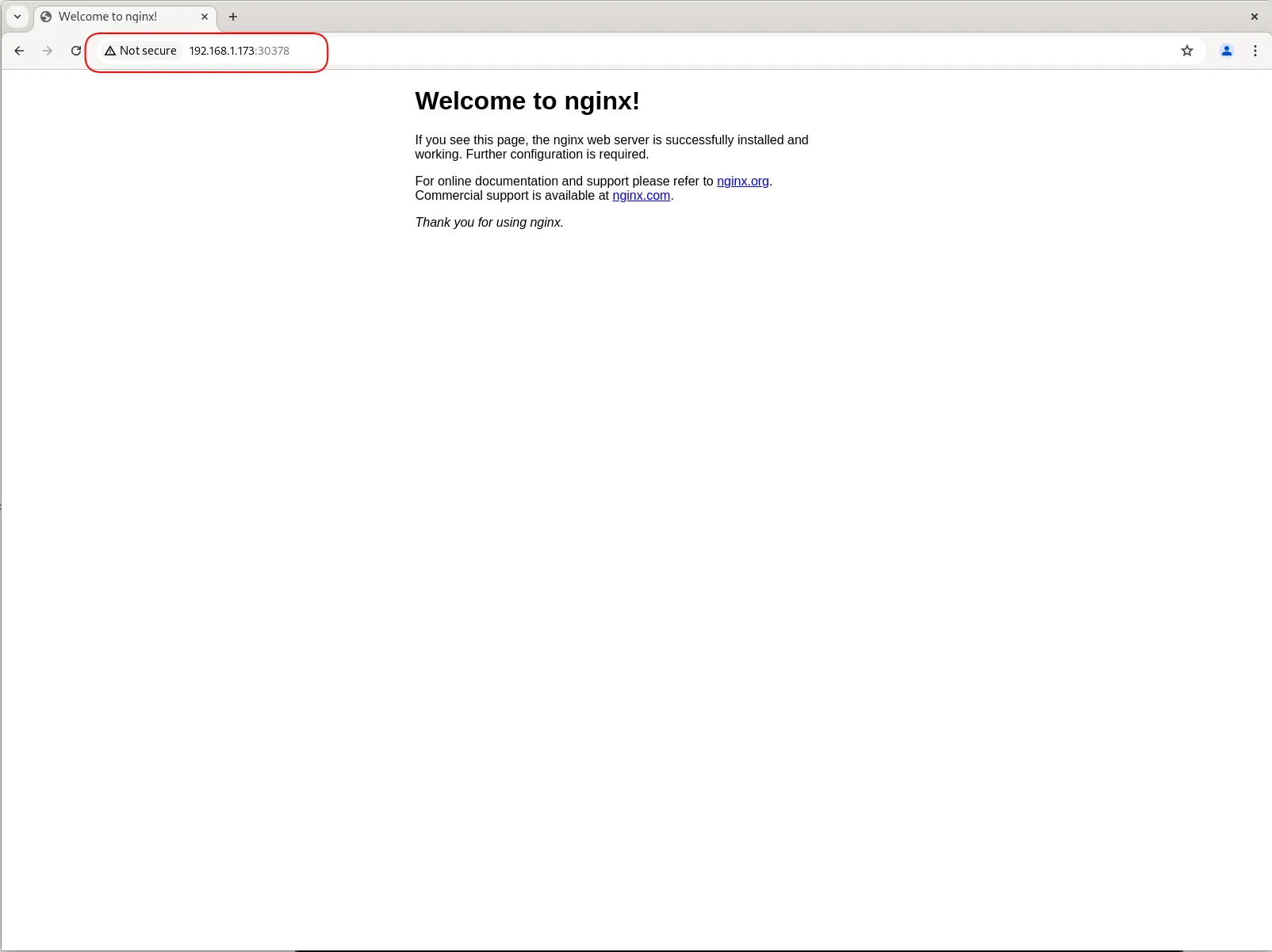
Photo by admingeek from Infotechys
Scaling NGINX
Kubernetes makes scaling straightforward. To scale the NGINX deployment to 5 replicas, run:
kubectl scale deployment/nginx-deployment --replicas=5 -n nginx-deploymentdeployment.apps/nginx-deployment scaledVerify the scaling:
kubectl get deployments -n nginx-deploymentNAME READY UP-TO-DATE AVAILABLE AGE
nginx-deployment 5/5 5 5 8m52sAdvanced Configuration
For more advanced scenarios, consider configuring an Ingress controller. Ingress in Kubernetes manages external access to services, typically HTTP.
Create an Ingress Resource |
First, install an Ingress controller (e.g., NGINX Ingress Controller).
kubectl apply -f https://raw.githubusercontent.com/kubernetes/ingress-nginx/main/deploy/static/provider/cloud/deploy.yamlNext, create an Ingress resource.
# nginx-ingress.yaml
apiVersion: networking.k8s.io/v1
kind: Ingress
metadata:
  name: nginx-ingress
  namespace: nginx-deployment
spec:
  rules:
  - host: nginx.example.com
    http:
      paths:
      - path: /
        pathType: Prefix
        backend:
          service:
            name: nginx-service
            port:
number: 80Apply the Ingress resource.
kubectl apply -f nginx-ingress.yamlVerify Ingress |
Ensure your DNS is configured to point to the Ingress controller’s IP address. Verify the Ingress rules.
kubectl get ingress -n nginx-deploymentMonitoring and Logging
Monitoring and logging are crucial for maintaining the health of your NGINX deployment. Kubernetes offers several tools for this purpose.
Prometheus and Grafana |
Prometheus is a monitoring system and time series database. Grafana is an analytics platform for monitoring systems. Install them using Helm.
helm install prometheus prometheus-community/prometheushelm install grafana grafana/grafanaELK Stack |
The ELK (Elasticsearch, Logstash, and Kibana) stack provides powerful logging capabilities.
helm install elasticsearch elastic/elasticsearchhelm install logstash elastic/logstashhelm install kibana elastic/kibana


No comments:
Post a Comment