Introduction
Sysbench is a versatile, modular, and open-source benchmarking tool widely used to evaluate system performance in various environments. It can test CPU, memory, I/O, file I/O, and database performance, making it indispensable for systems administrators and database engineers. In this post, we’ll walk through how to install Sysbench on RHEL 9 and CentOS 9, and explore some CLI examples to help you get started with benchmarking on your setup.
Prerequisites
To begin, ensure that you have:
- Root or sudo access to your RHEL 9 or CentOS 9 machine.
- A working internet connection to download and install Sysbench from the official repositories.
| Prerequisite | Description |
|---|---|
| OS Version | RHEL 9 or CentOS 9 |
| User Access | Root or sudo privileges |
| Network | Active internet connection |
Let’s dive in!
Install and Use Sysbench on RHEL 9 | CentOS 9
To install Sysbench on RHEL 9 or CentOS 9, we’ll need the EPEL (Extra Packages for Enterprise Linux) repository, as Sysbench isn’t available in the default repository for these distributions.
Add the EPEL Repository |
sudo dnf install -y epel-releaseThis command installs the EPEL repository, which provides additional packages for RHEL-based distributions, including Sysbench.
Install Sysbench |
sudo dnf install -y sysbench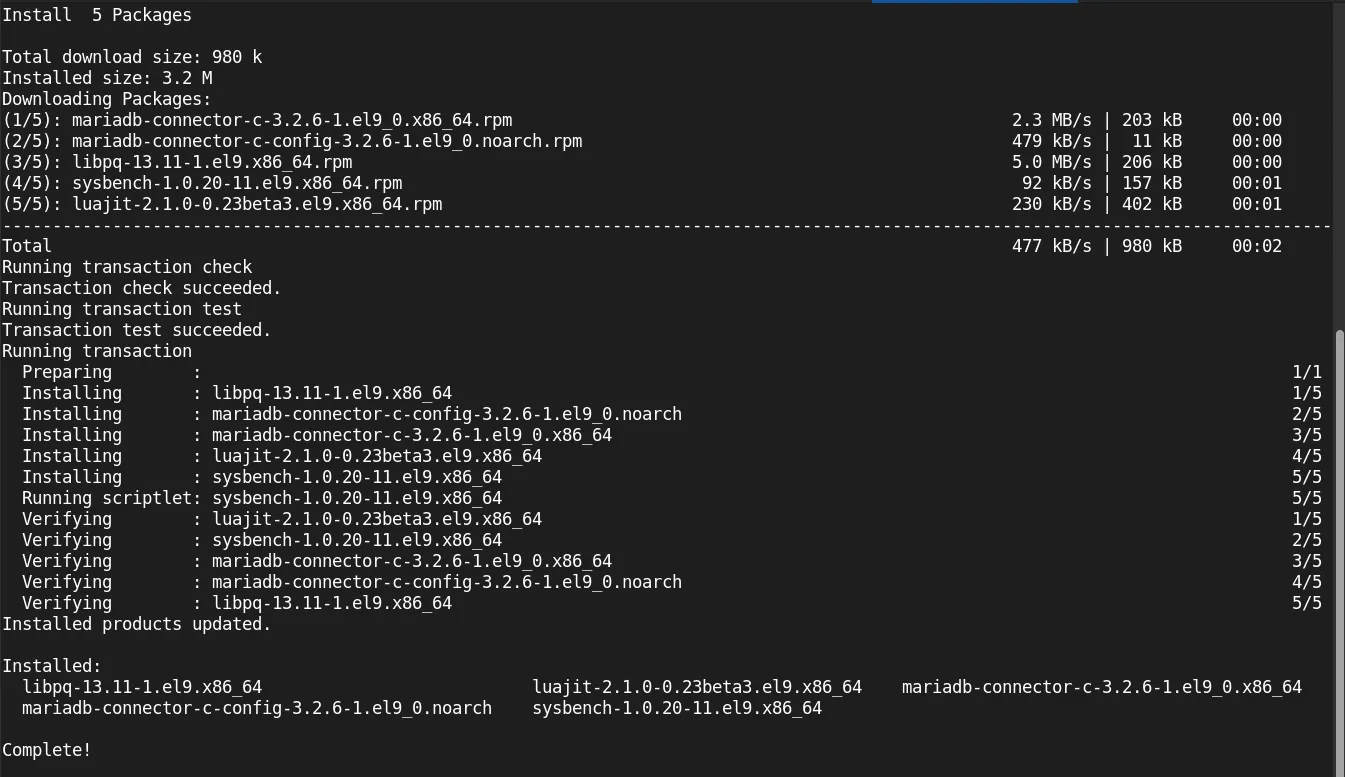
Photo by admingeek from Infotechys
Once completed, verify the installation by checking the Sysbench version:
sysbench --versionYou should see output similar to:
sysbench 1.0.20Using Sysbench for Benchmarking
Sysbench allows you to perform several types of benchmarks, such as CPU, memory, and I/O tests. Here’s a look at some of the most common benchmarking commands you can use.
CPU Benchmarking |
Test your CPU performance by running:
sysbench cpu --cpu-max-prime=20000 runThe --cpu-max-prime parameter defines the upper limit for calculating prime numbers, with higher values providing more stress on the CPU.
sysbench 1.0.20 (using system LuaJIT 2.1.0-beta3)

Running the test with following options:
Number of threads: 1
Initializing random number generator from current time


Prime numbers limit: 20000

Initializing worker threads...

Threads started!

CPU speed:
    events per second:   333.66

General statistics:
    total time:                          10.0023s
    total number of events:              3338

Latency (ms):
         min:                                    2.86
         avg:                                    3.00
         max:                                    5.70
         95th percentile:                        3.30
         sum:                                 9998.99

Threads fairness:
    events (avg/stddev):           3338.0000/0.00
    execution time (avg/stddev):   9.9990/0.00
This output provides an idea of how well your CPU can handle high workloads.
Memory Benchmarking |
Memory performance testing involves writing to and reading from memory. Run the following command to test memory read and write speed:
sysbench memory --memory-block-size=1M --memory-total-size=4G run--memory-block-size: Sets the block size for each read/write operation.--memory-total-size: Total data size to transfer.
Memory Benchmark Result Table:
| Metric | Value |
|---|---|
| Transfer Rate | 4096.00 MiB transferred (9906.76 MiB/sec) |
| General Statistics | total time: 0.4112s total number of events: 4096 |
| Threads fairness | events (avg/stddev): 4096.0000/0.00 execution time (avg/stddev): 0.4084/0.00 |
Disk I/O Benchmarking |
Disk performance benchmarking in Sysbench can help assess read and write speeds on your storage. First, you’ll need to create a test file:
sysbench fileio --file-total-size=5G preparesysbench 1.0.20 (using system LuaJIT 2.1.0-beta3)
128 files, 40960Kb each, 5120Mb total
Creating files for the test...
Extra file open flags: (none)
Creating file test_file.0
Creating file test_file.1
Creating file test_file.2
Creating file test_file.3
Creating file test_file.4
Creating file test_file.5
Creating file test_file.6
Creating file test_file.7
Creating file test_file.8
Creating file test_file.9
Creating file test_file.10
Creating file test_file.11
Creating file test_file.12
Creating file test_file.13
Creating file test_file.14
...omitted for brevity...
Creating file test_file.127
5368709120 bytes written in 53.33 seconds (96.01 MiB/sec).After creating the files, run the following command to benchmark disk I/O performance:
sysbench fileio --file-total-size=5G --file-test-mode=rndrw run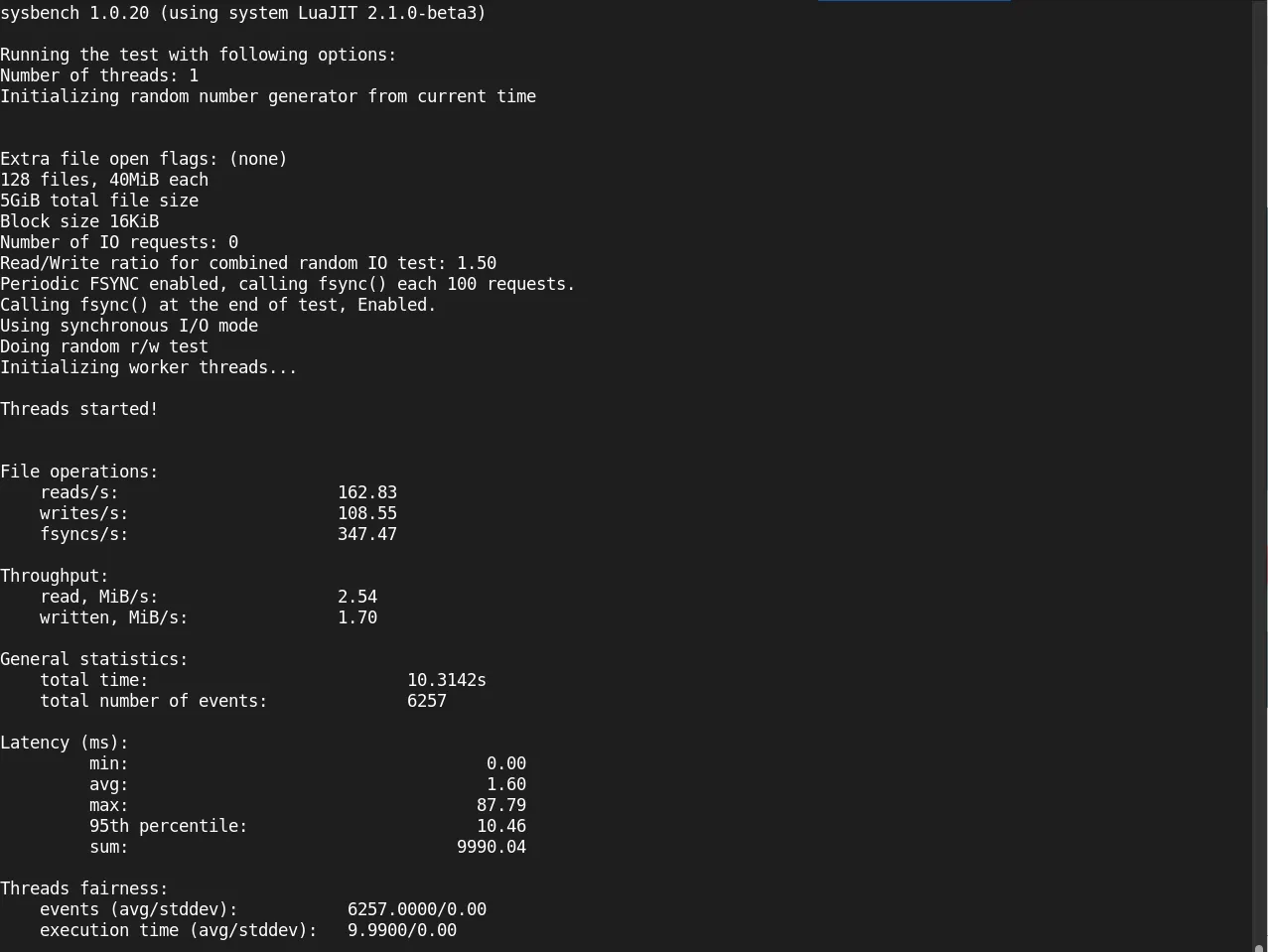
Photo by admingeek from Infotechys
--file-total-size: Sets the size of the test file.--file-test-mode: Configures Sysbench to perform random read/write operations (rndrw).
Database Benchmarking |
Sysbench supports benchmarking for MySQL and PostgreSQL databases. Ensure you have the appropriate database software installed and a test database created. Here’s a simple example with MySQL:
Prepare the database |
sysbench oltp_read_write --db-driver=mysql --mysql-user=root --mysql-password=yourpassword --tables=10 --table-size=10000 prepareRun the Database Benchmark |
sysbench oltp_read_write --db-driver=mysql --mysql-user=root --mysql-password=yourpassword --tables=10 --table-size=10000 runSample Database Benchmark Result Table
| Test | Value |
|---|---|
| Transactions/sec | 500 |
| Reads/sec | 2500 |
| Writes/sec | 1500 |
| Latency (avg) | 4.1 ms |
Sysbench Commands Cheat Sheet
To make things easier, here’s a table summarizing essential Sysbench commands for quick reference:
| Benchmark Type | Command Example |
|---|---|
| CPU | sysbench cpu --cpu-max-prime=20000 run |
| Memory | sysbench memory --memory-block-size=1M --memory-total-size=10G run |
| Disk I/O | sysbench fileio --file-total-size=5G --file-test-mode=rndrw run |
| Database | sysbench oltp_read_write --db-driver=mysql --mysql-user=root --mysql-password=yourpassword run |
Optimizing Performance Based on Results
Once you’ve gathered benchmark data, consider these steps to optimize performance:
CPU Optimization: If CPU performance is lower than expected, consider upgrading your processor or increasing CPU resources in virtualized environments.
Memory Tuning: Increase the available memory if your workload requires high memory throughput. Adjusting the swap size can also help in memory-bound applications.
Disk I/O: Upgrade to SSDs or NVMe storage if disk read/write speeds are low, or explore using RAID for improved redundancy and performance.
Database Optimization: Tune database settings such as cache size, query optimization, and indexing. For MySQL, for example, adjusting
innodb_buffer_pool_sizecan lead to improved performance.


No comments:
Post a Comment