Introduction
Whether you’re a seasoned system administrator or a newcomer to database management, this step-by-step guide will walk you through the process of installing MySQL on the latest Red Hat Enterprise Linux (RHEL9 – as of the date of this publication) and CentOS operating systems. MySQL, the open-source relational database management system, is a crucial component for many web applications and server configurations.
Install MySQL on RHEL9: Step-by-Step Instructions
Follow these steps to install MySQL on your RHEL9 or CentOS9 OS.
Step 1: Update your system
Before you begin the installation process, it’s essential to ensure that your system is up-to-date. Run the following command(s) in your terminal:
$ sudo dnf updateStep 2: Install MySQL Server
Install the MySQL Server package using the package manager. In this case, we’ll use DNF:
$ sudo dnf install mysql-serverAs shown below, there are quite a few dependencies installed along with the mysql-server package.
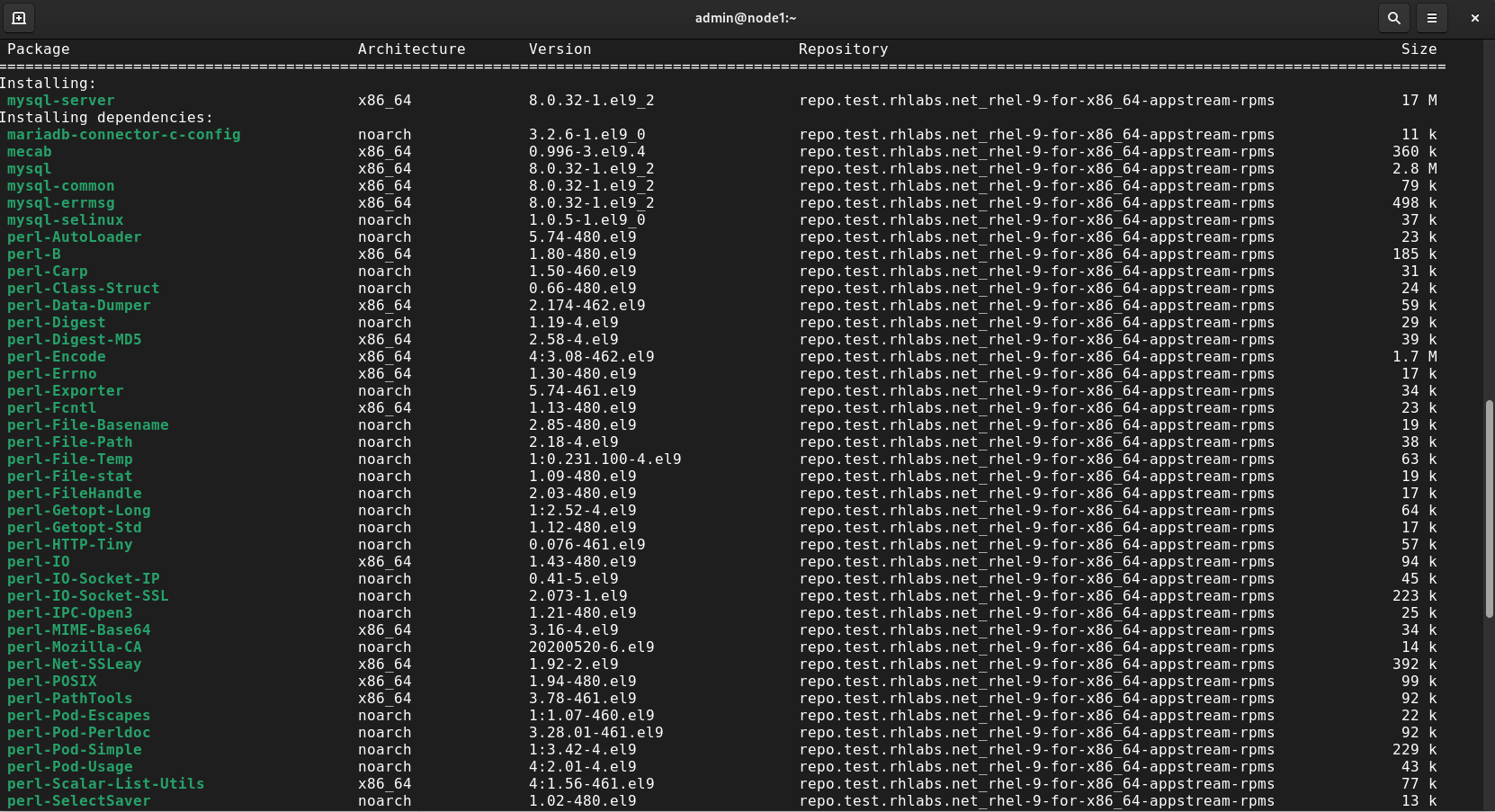
Photo by admingeek from Infotechys.com
Step 3: Start and Enable MySQL Service
Option #1:
Start the MySQL service and enable it to start on boot:
$ sudo systemctl start mysqld
$ sudo systemctl enable mysqldOption #2:
You can also use the --now flag to execute the two commands above at once.
$ sudo systemctl enable --now mysqldStep 4: Secure your MySQL Installation
MySQL comes with a script that helps secure your installation. Run it and follow the on-screen instructions:
$ sudo mysql_secure_installationStep 5: Access MySQL
Access the MySQL shell to interact with the database:
$ sudo mysqlCongratulations! You’ve successfully installed MySQL on your RHEL 9 or CentOS 9 server.
Best Practices
By adhering to these best practices, you’ll ensure a secure, reliable, and optimized MySQL installation on your RHEL 9 or CentOS 9 server.
| Best Practice | Description |
|---|---|
| Regular Backups | Implement a robust backup strategy to safeguard your data. MySQL provides various tools to automate and manage backups. |
| User Permissions | Grant minimal necessary permissions to MySQL users. Follow the principle of least privilege to enhance security. |
| Update and Patch | Keep your MySQL installation updated by regularly applying patches and updates. This ensures you benefit from the latest features and security fixes. |
| Firewall Configuration | Configure your firewall to allow traffic on the MySQL port (default is 3306) and restrict access to trusted IP addresses. |
| Monitoring and Optimization | Use MySQL monitoring tools to keep an eye on performance metrics. Optimize queries and configurations for improved efficiency. |


No comments:
Post a Comment