Introduction
Ubuntu is one of the most popular Linux distributions, known for its stability, security, and user-friendly experience. Every two years, Canonical releases a new Long-Term Support (LTS) version, and with Ubuntu 24.04 LTS now available, many users are wondering how it compares to its predecessor, Ubuntu 22.04 LTS.
In this article, we explore the 10 major differences between Ubuntu 22.04 and Ubuntu 24.04, including kernel updates, performance improvements, security enhancements, and more.
Compare Ubuntu 22.04 and Ubuntu 24.04
1. Kernel Version Differences |
Ubuntu 22.04 now runs on the Linux 6.8.0 kernel, while Ubuntu 24.04 has been updated to the Linux 6.11.0 kernel. This newer kernel in Ubuntu 24.04 introduces better hardware support, enhanced security, and improved performance optimizations.
Key Kernel Differences
| Feature | Ubuntu 22.04 (Linux 6.8.0) | Ubuntu 24.04 (Linux 6.11.0) |
|---|---|---|
| File System Support | Standard NTFS & Btrfs support | Improved NTFS & Btrfs performance |
| Power Management | Standard efficiency | Enhanced efficiency |
| Security | Moderate mitigations | Improved Spectre & Meltdown patches |
| Performance | Good | Better I/O & networking |
Note: While both Ubuntu 22.04 and Ubuntu 24.04 desktop editions run on 6.x kernel versions (6.8.0 and 6.11.0 respectively), the Ubuntu 22.04 LTS server edition continues to use the 5.15.0 kernel as of this publication.
2. Desktop Environment Updates |
Ubuntu 24.04 includes GNOME 46, which introduces smoother animations, improved multi-monitor support, and usability enhancements compared to Ubuntu 22.04’s GNOME 42.
How to Check Your GNOME Version
gnome-shell --version3. Improved Performance and Stability |
Ubuntu 24.04 includes various optimizations that enhance overall system responsiveness and reduce CPU usage. This is particularly noticeable in application startup times and window management.
4. New and Updated Applications |
Ubuntu 24.04 includes the latest versions of essential applications like Firefox, LibreOffice, and Thunderbird, alongside improved Snap package performance.
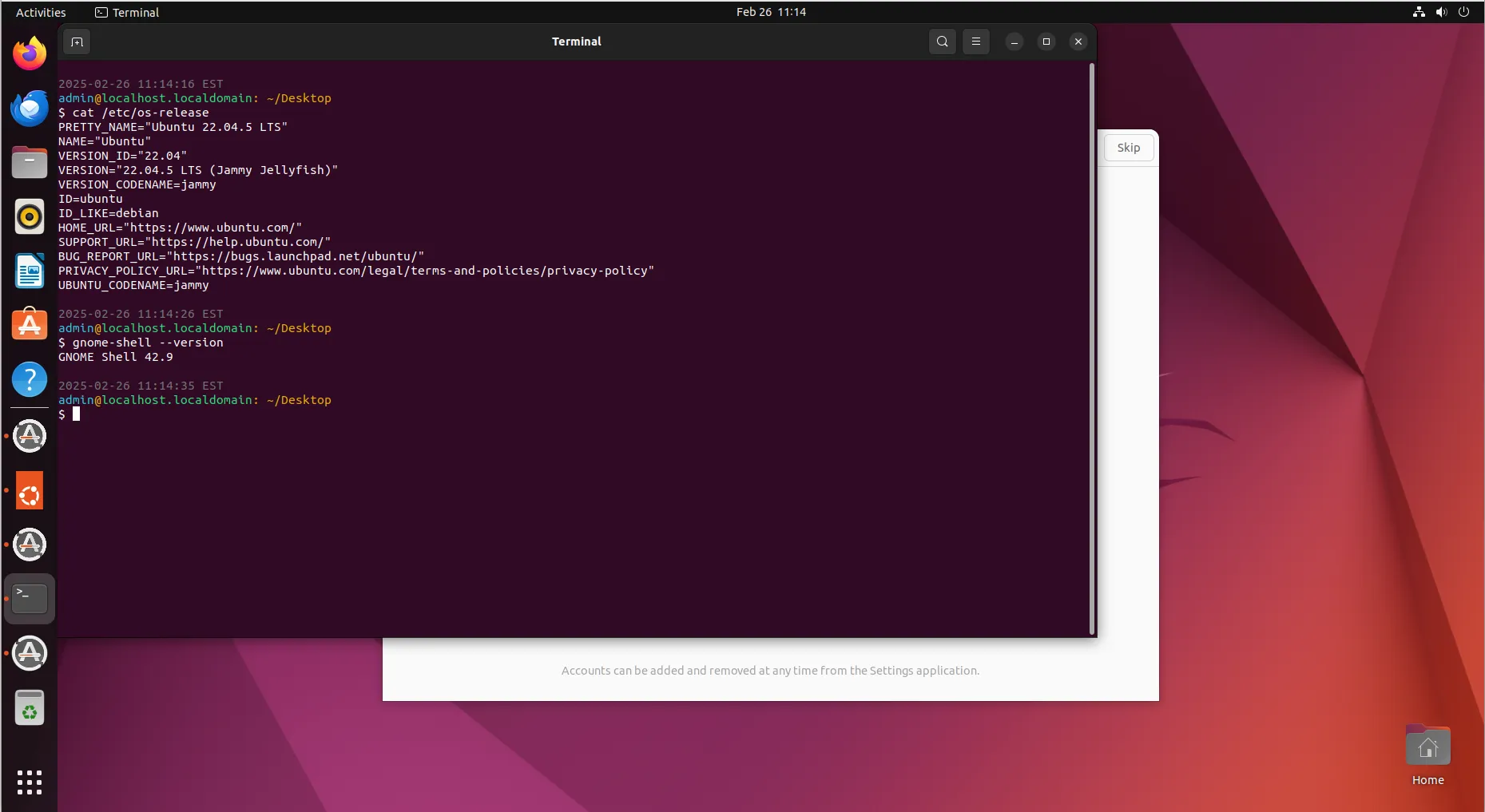
Photo by admingeek from Infotechys
5. Enhanced Snap and Flatpak Integration |
While Snap packages were emphasized in Ubuntu 22.04, Ubuntu 24.04 enhances Flatpak support for greater flexibility.
Install Flatpak on Ubuntu 24.04
sudo apt install flatpak
flatpak remote-add --if-not-exists flathub https://flathub.org/repo/flathub.flatpakrepo6. Enhanced Security Features |
Ubuntu 24.04 enhances security with improved AppArmor profiles, stronger firewall rules, and upgraded Secure Boot features.
Check AppArmor Status
sudo aa-status7. New Installer Experience |
Ubuntu 24.04 features a refreshed installer with better hardware detection and a more intuitive layout.
8. Power Management Enhancements |
Battery life is improved in Ubuntu 24.04, thanks to optimizations introduced in the Linux 6.x kernel.
9. Wayland as the Default Display Server |
Wayland is now the default display server in Ubuntu 24.04, offering improved security and better graphical performance over X11.
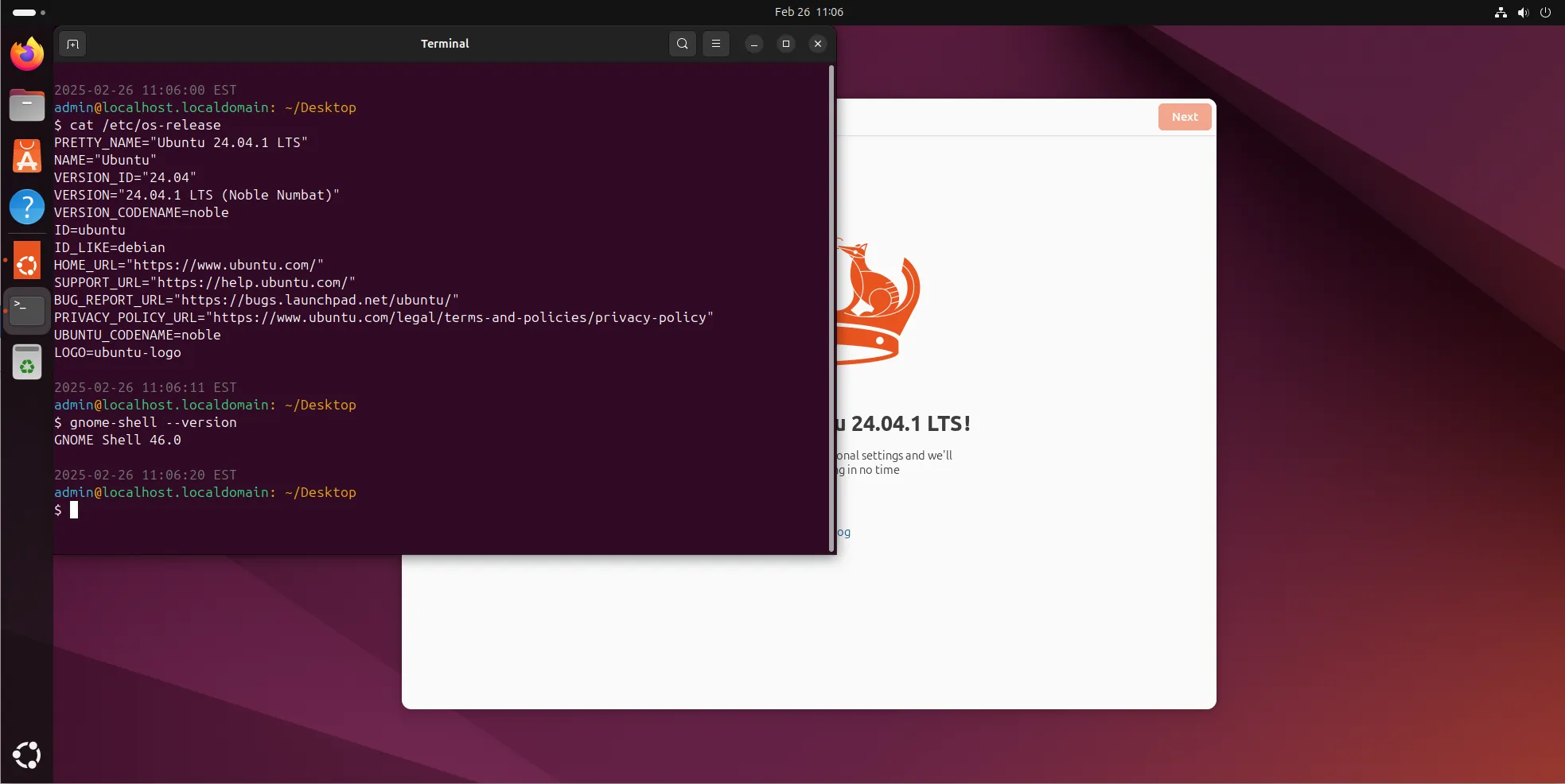
Photo by admingeek from Infotechys
10. Extended Support and Maintenance |
Ubuntu 24.04 offers extended support with an improved maintenance cycle, making it a better choice for long-term deployment.


No comments:
Post a Comment