Introduction
The Message of the Day (MOTD) in Linux is a powerful feature that allows administrators to communicate essential information to users upon login. Customizing the MOTD can enhance user experience, provide system insights, and even add a personal touch. In this comprehensive guide, we’ll explore how to customize your MOTD on RHEL 9 and CentOS 9, complete with examples, best practices, and tips.
What is MOTD?
MOTD, or Message of the Day, is a script that runs every time a user logs into a Linux system. It serves as a means to display information such as system uptime, user details, and even fun ASCII art. The MOTD can be especially useful for administrators who want to convey important updates or messages to users, such as maintenance schedules or security alerts.
Importance of Customizing MOTD |
Customizing the MOTD is not just about aesthetics; it has practical benefits as well:
- User Engagement: A personalized MOTD can make logging in more enjoyable for users, providing a friendly touch.
- System Monitoring: Displaying real-time information such as system load, disk usage, and user login details can help users monitor the system’s health.
- Communication: The MOTD can serve as a communication channel for administrators to inform users about updates, outages, or maintenance schedules.
Default Location of MOTD
On RHEL 9 and CentOS 9, the default MOTD script can be found at /etc/profile.d/motd.sh. This is where you will make your customizations. Let’s take a look at a sample MOTD script that you can modify.
Sample MOTD Script |
Here’s a default MOTD script you can use as a starting point:
#!/bin/bash
echo -e "
##################################
#
# Welcome to \033[1;36m`hostname -s`,\033[0m you are logged in as \033[1;20m`whoami`\033[0m
# This system is running \033[1;32m`cat /etc/redhat-release`\033[0m
# kernel is \033[1;33m`uname -r`\033[0m
# Uptime is
\033[1;20m>>`uptime | sed 's/.*up ([^,]*), .*/1/'`\033[0m
###################################"
figlet -f small `hostname -s`
echo -e "-----------------------------"Breakdown of the Script
| Component | Description |
|---|---|
hostname -s | Displays the short hostname of the system. |
whoami | Shows the username of the logged-in user. |
cat /etc/redhat-release | Provides the version of the operating system. |
uname -r | Displays the kernel version. |
uptime | Displays how long the system has been running. |
figlet -f small \hostname -s“ | Generates ASCII art with the system’s hostname for a creative touch. |
Display Output
When a user logs in, the MOTD might look something like this:
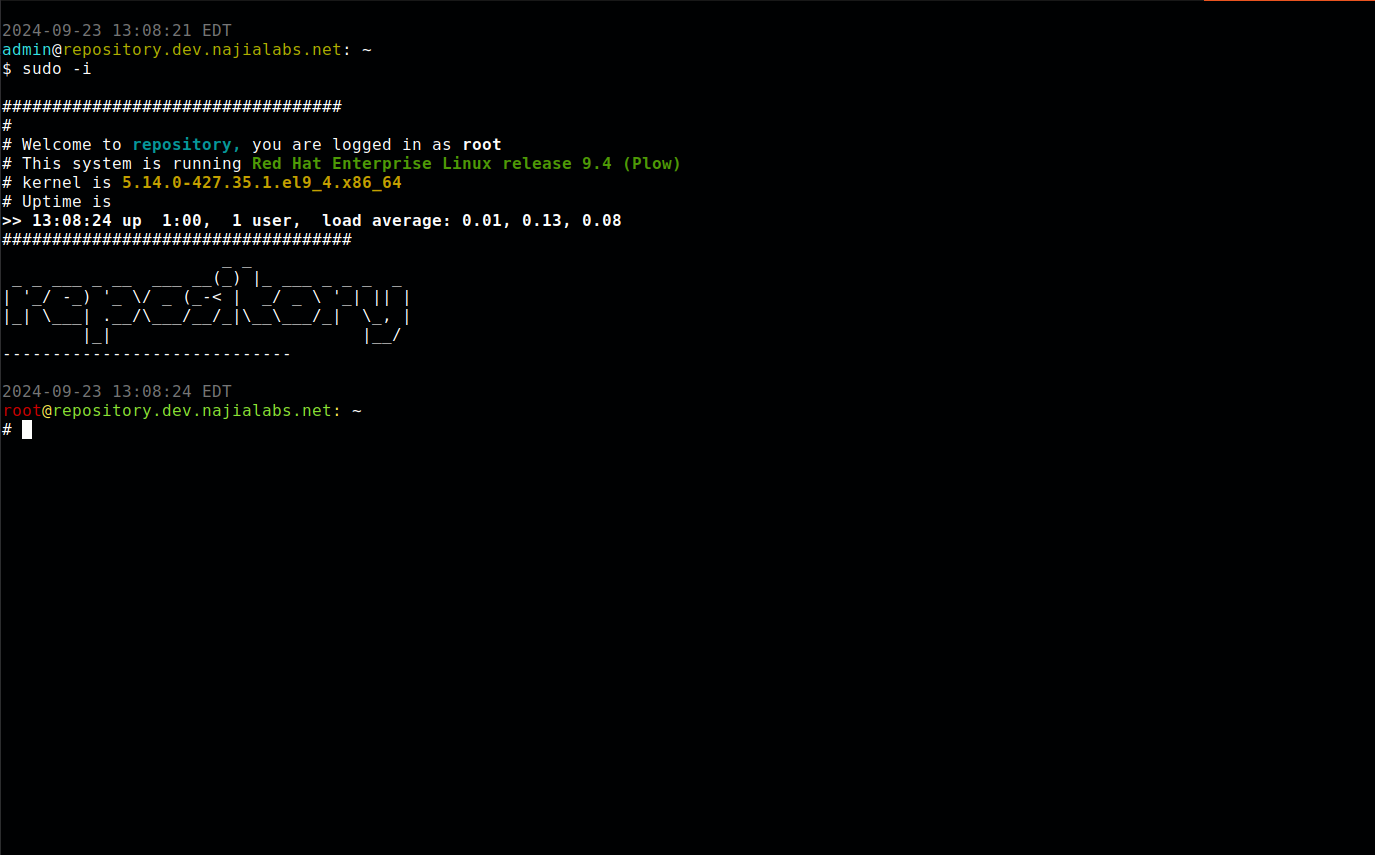
Photo by admingeek from Infotechys
Customize Linux MOTD on RHEL 9: Step-by-Step Instructions
1. Open the MOTD Script for Editing |
Use your favorite text editor to open the MOTD script:
$ sudo nano /etc/profile.d/motd.sh2. Modify the Script |
You can add, remove, or change lines in the script. For example, you might want to include the current disk usage.
3. Add Additional Information |
Here’s how to include additional system metrics, such as disk usage:
echo -e "Disk Usage: \033[1;33m`df -h | grep '/$' | awk '{print $5}'`\033[0m"This will show the disk usage for the root file system to users when they log in. Here’s how the modified script might look:
#!/bin/bash
echo -e "
##################################
#
# Welcome to \033[1;36m`hostname -s`,\033[0m you are logged in as \033[1;20m`whoami`\033[0m
# This system is running \033[1;32m`cat /etc/redhat-release`\033[0m
# Kernel is \033[1;33m`uname -r`\033[0m
# Uptime is
\033[1;20m>>`uptime | sed 's/.*up ([^,]*), .*/1/'`\033[0m

\033[1;21m**Disk Usage (root): \033[1;33m`df -h | grep '/$' | awk '{print $5}'`\033[0m
###################################"
figlet -f small `hostname -s`
echo -e "-----------------------------"4. Test Your Changes |
After saving your modifications, log out and log back in to see your customized MOTD in action. You should see the new information displayed alongside the existing details.
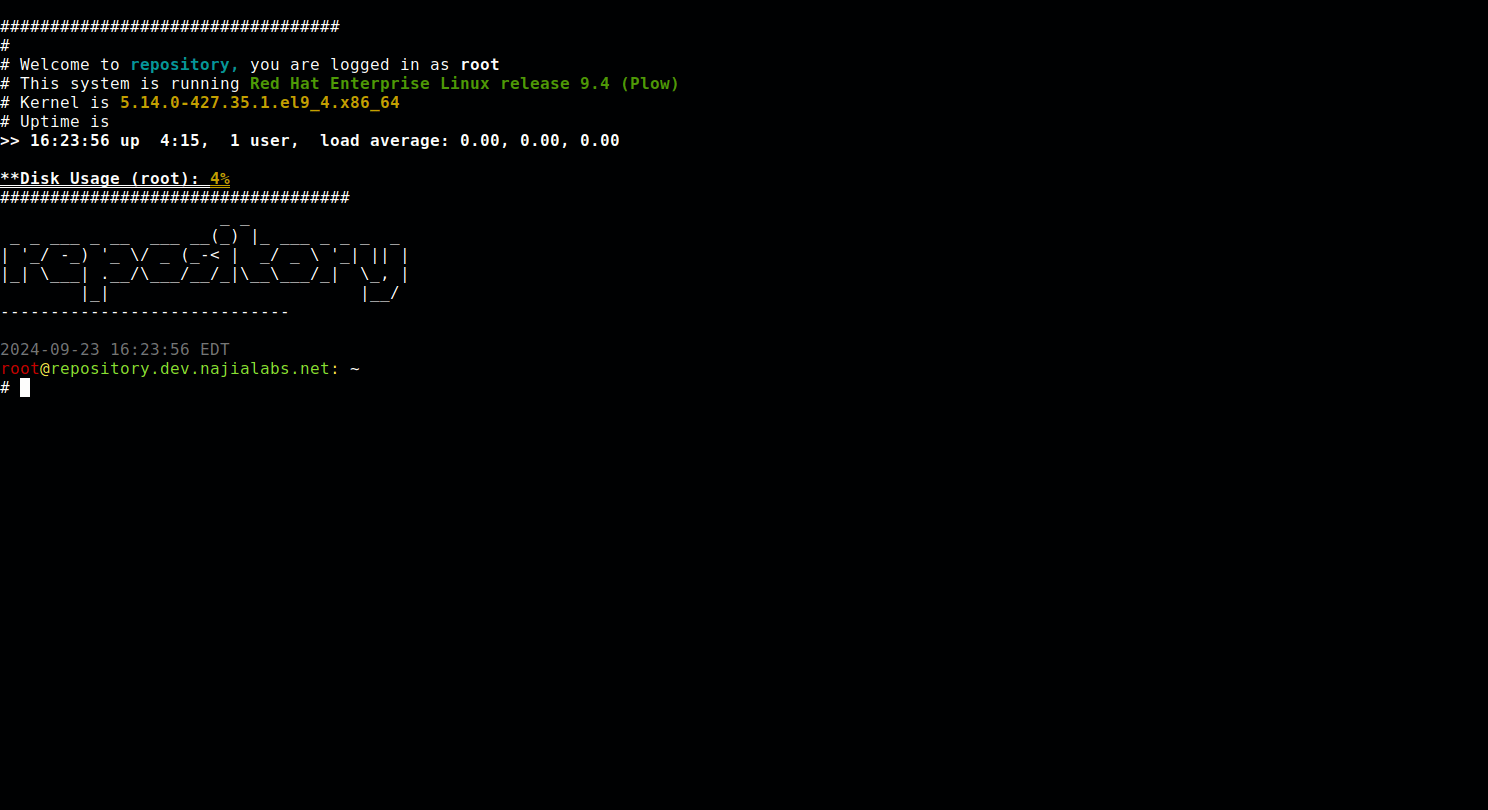
Photo by admingeek from Infotechys
Advanced Customizations
Adding ASCII Art |
You can enhance the visual appeal of your MOTD by incorporating ASCII art. The figlet command can be used to generate text-based graphics. For example:
figlet -f slant `hostname -s`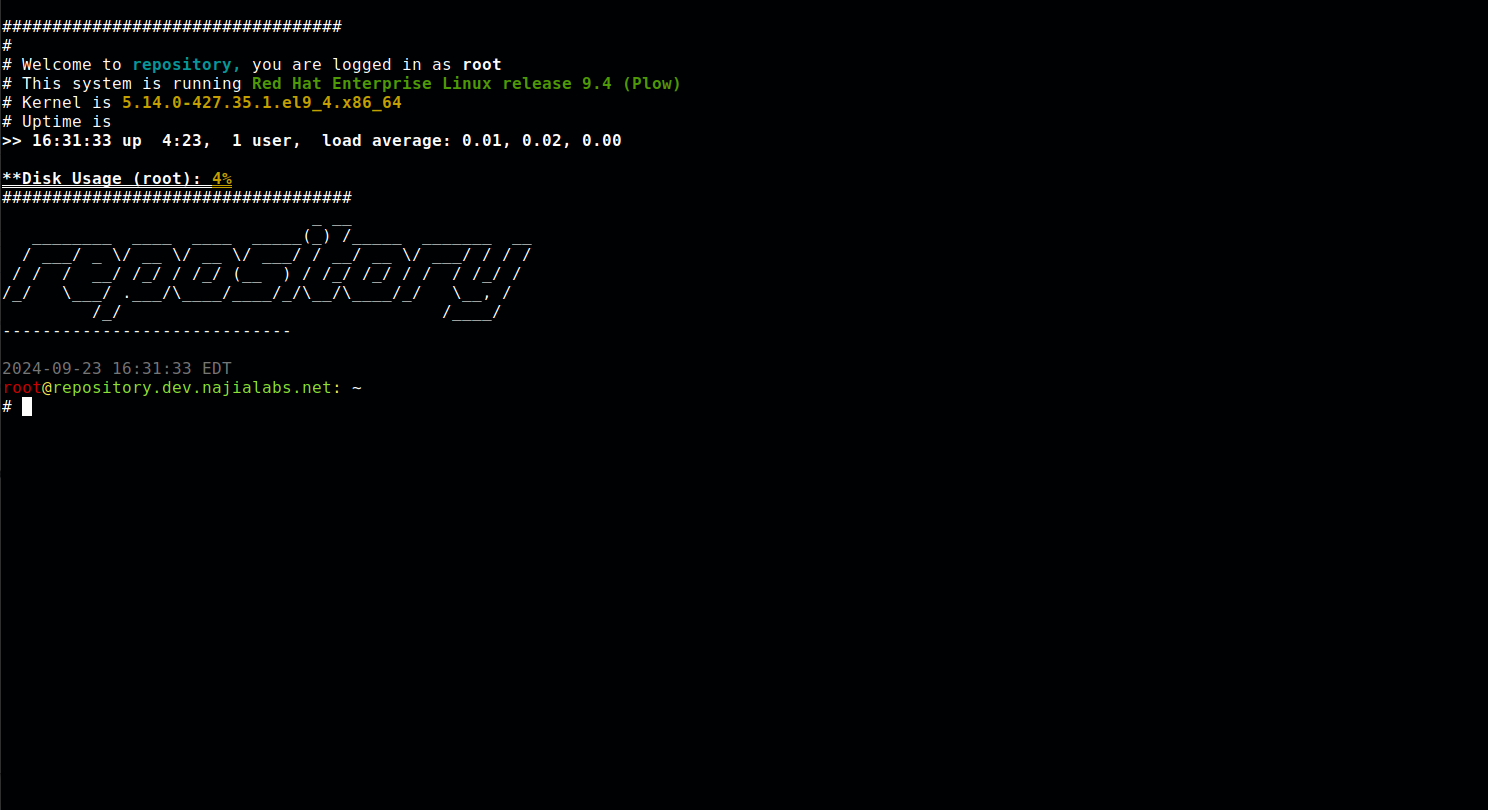
Photo by admingeek from Infotechys
Adding Links to Monitoring Tools |
You can enhance the visual appeal of your MOTD by incorporating ASCII art. The figlet command can be used to generate text-based graphics. For example:
echo -e "\033[1;36mCheck_MK Monitoring: [http://your-monitoring-url]\033[0m"Testing and Troubleshooting
After implementing your MOTD customizations, it’s important to test that everything works as expected. If the MOTD doesn’t display correctly, consider the following troubleshooting steps:
Check Script Permissions: Ensure that your MOTD script has executable permissions:
$ sudo chmod +x /etc/profile.d/motd.shSyntax Errors: Review the script for any syntax errors. Even a small typo can prevent it from running correctly.
Dependencies: Ensure that any commands used (like
figlet) are installed. You can installfigletusing:
$ sudo dnf install figlet


No comments:
Post a Comment